Province
Page Overview
The "Province List" page provides a comprehensive view of all provinces managed within the system. It includes dashboard navigation, search and filter options, and a detailed table displaying various province attributes.
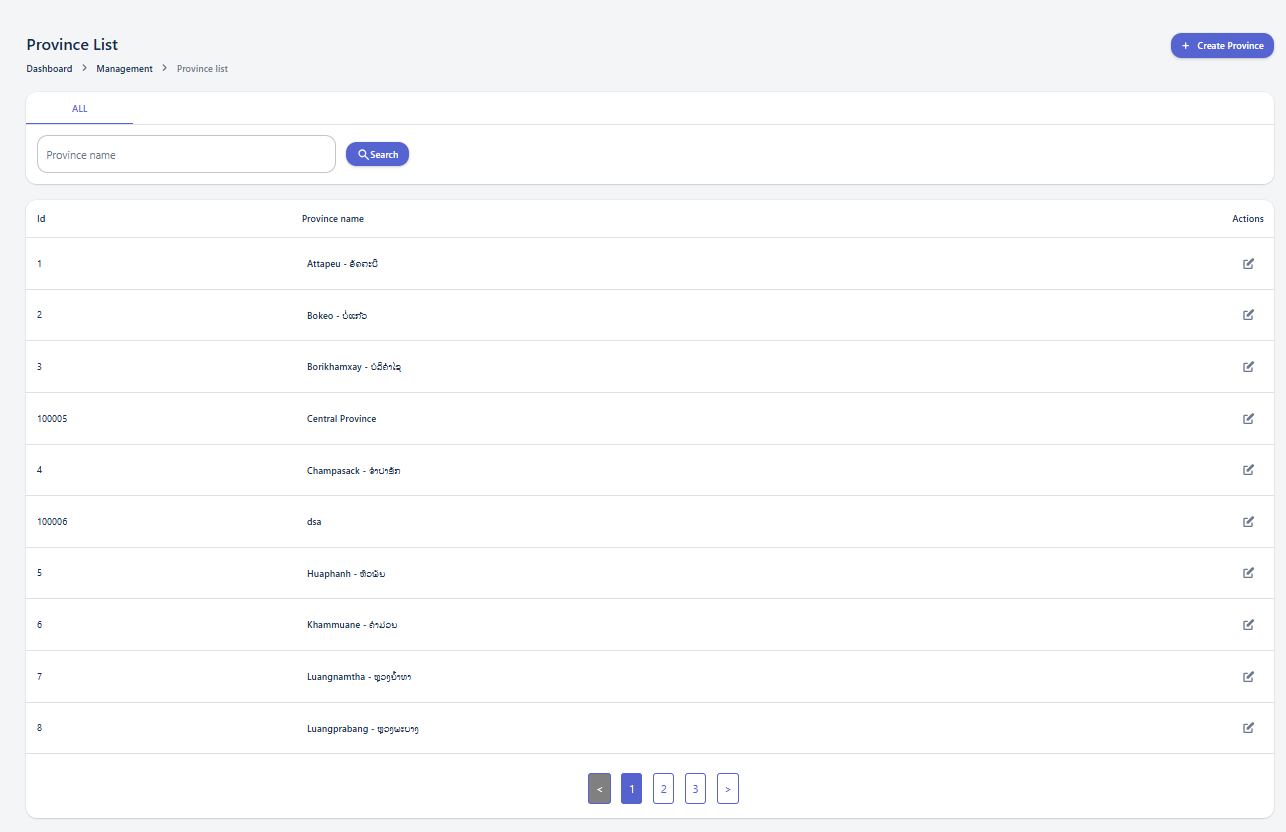
Using the Search and Filter Panel
The search and filter panel allows you to quickly find specific provinces by applying various criteria.
Available Filters:
Province Create
The "Province Create" page allows users to add new province entries to the system. It provides input fields for essential province information.
-
Province information panel: This section contains the fields necessary to define a new province.
Creating a New Province
To create a new province, fill in the following field:
-
Province name: (Mandatory field) Enter the name of the province.
After filling in the required information, click the "Create Province" button. Upon successful creation, a popup message "Province created!" will appear, and the system will automatically navigate to the "Province List" page. If you wish to discard the entry, click the "Cancel" button.