Legal Screen
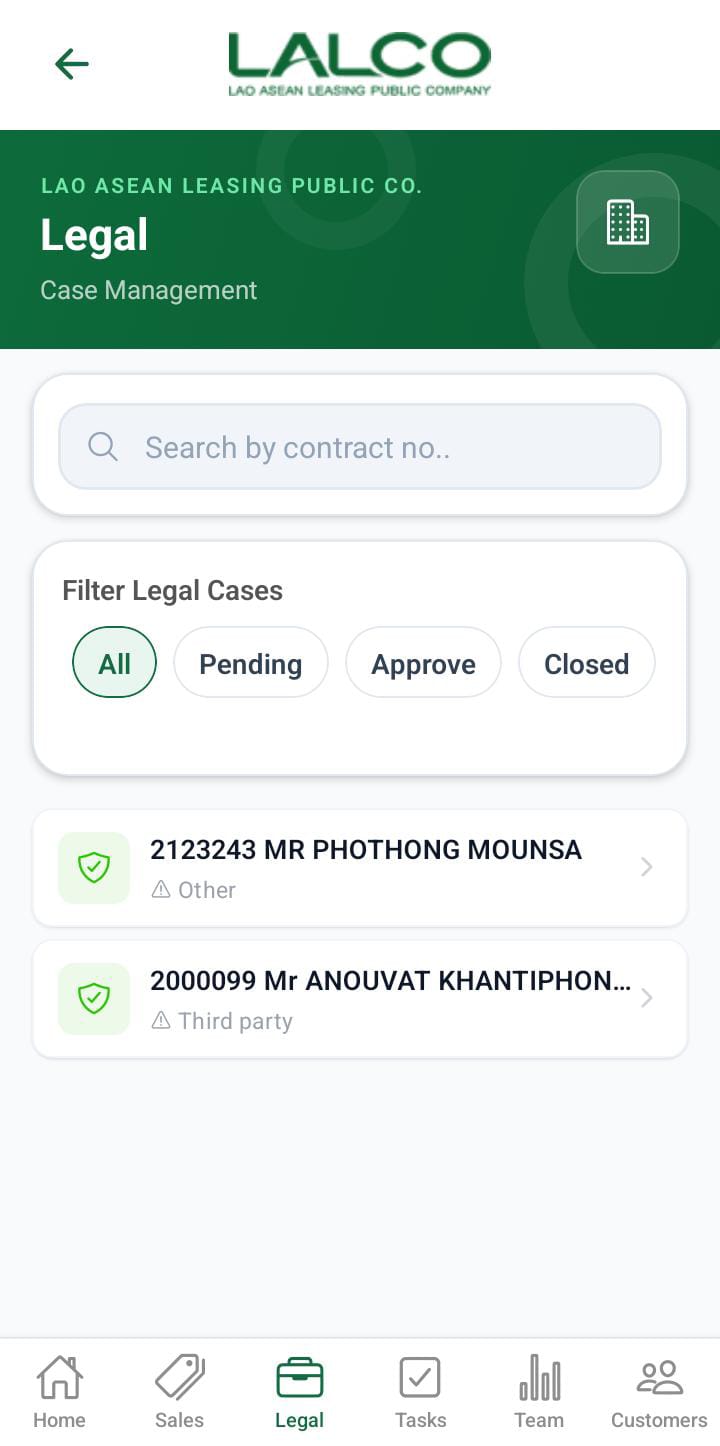
Description
Search Function
Search Bar
Allows users to search by:
-
Contract number
Filter Options
Legal cases can be filtered by the following statuses:
-
Pending – When the collection team adds a contract that requires legal action in the Special Cases screen, it is initially listed with the Pending status.
-
Approved – After the legal team approves the special case, it is listed under the Approved status.
-
Closed – After the legal team dismisses or closes the special case, it is listed under the Closed status.
How to Use
View a Case
-
Open the Legal tab
-
Browse or search cases
-
Tap a case to view details
Legal Details Screen
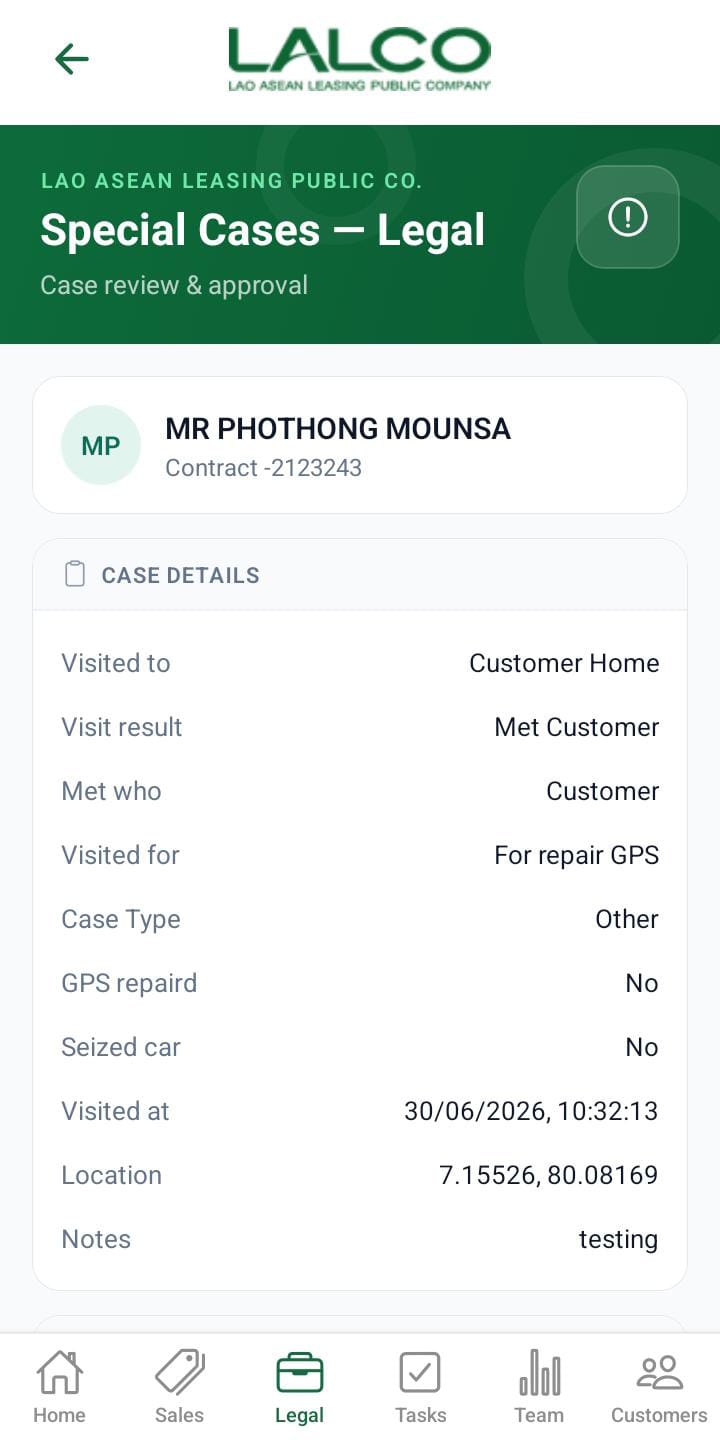
The Legal Details Screen shows detailed information about a selected legal case and allows staff to take actions.
Legal Details Section
Displays key information about the legal screen.
Actions
 |
 |
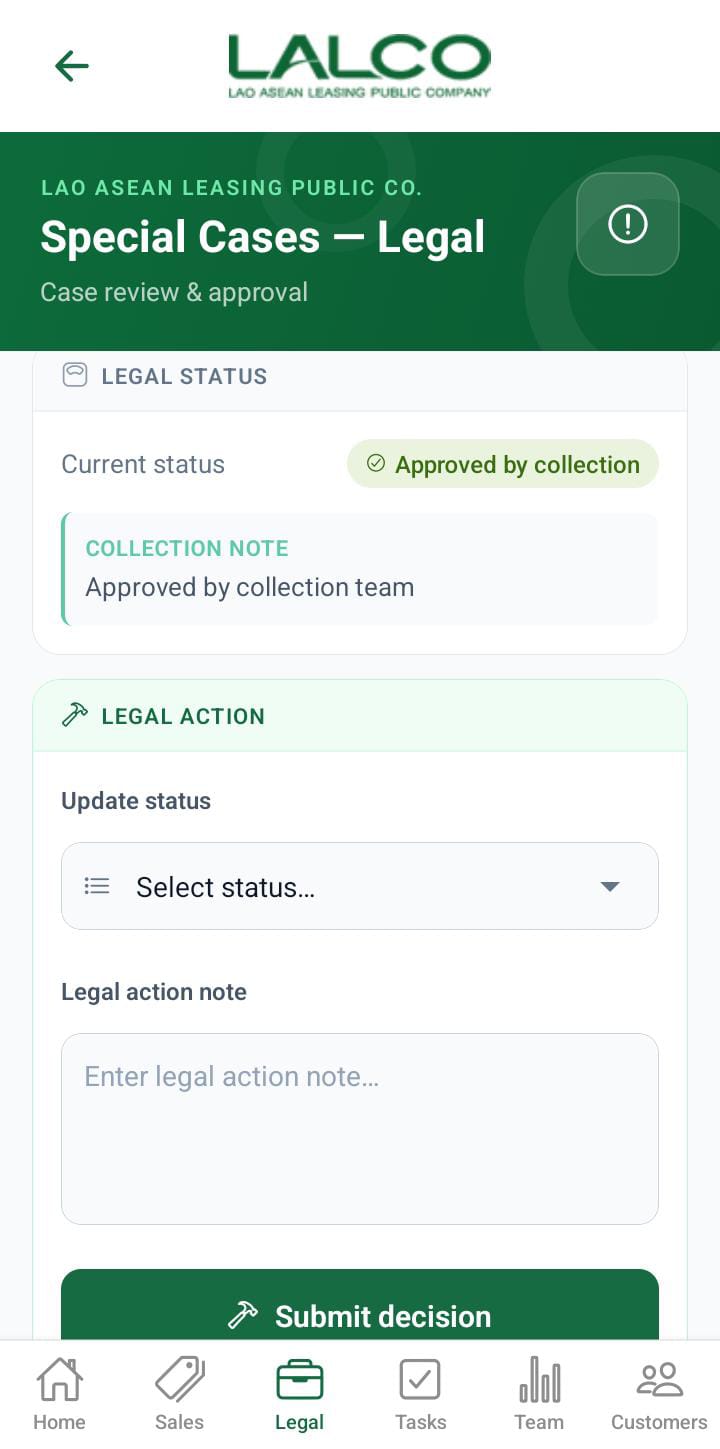
Before taking legal action, the legal team must confirm the contract that requires legal action.
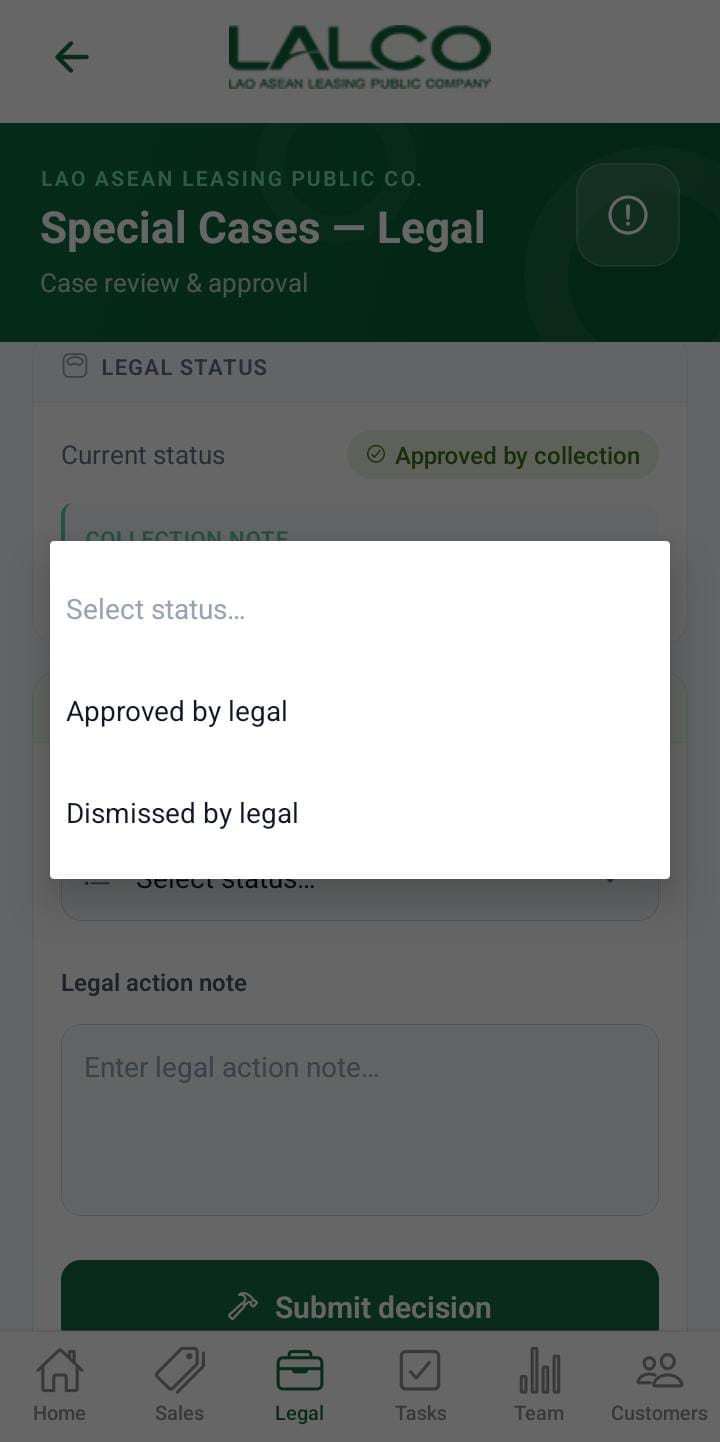
For that need to submit this legal action form.
- If the legal status is Approved by Legal, the status will be changed to Approved
- If the legal status is Dismissed by Legal, the status will be changed to Close
How to Use
View Details
-
Select a case from the list
-
Review all details