# Login Screen

[![Screenshot_20260316_110608_Expo Go.jpg (1).jpeg](http://wiki.lalco.la/uploads/images/gallery/2026-03/scaled-1680-/screenshot-20260316-110608-expo-go-jpg-1.jpeg)](http://wiki.lalco.la/uploads/images/gallery/2026-03/screenshot-20260316-110608-expo-go-jpg-1.jpeg)

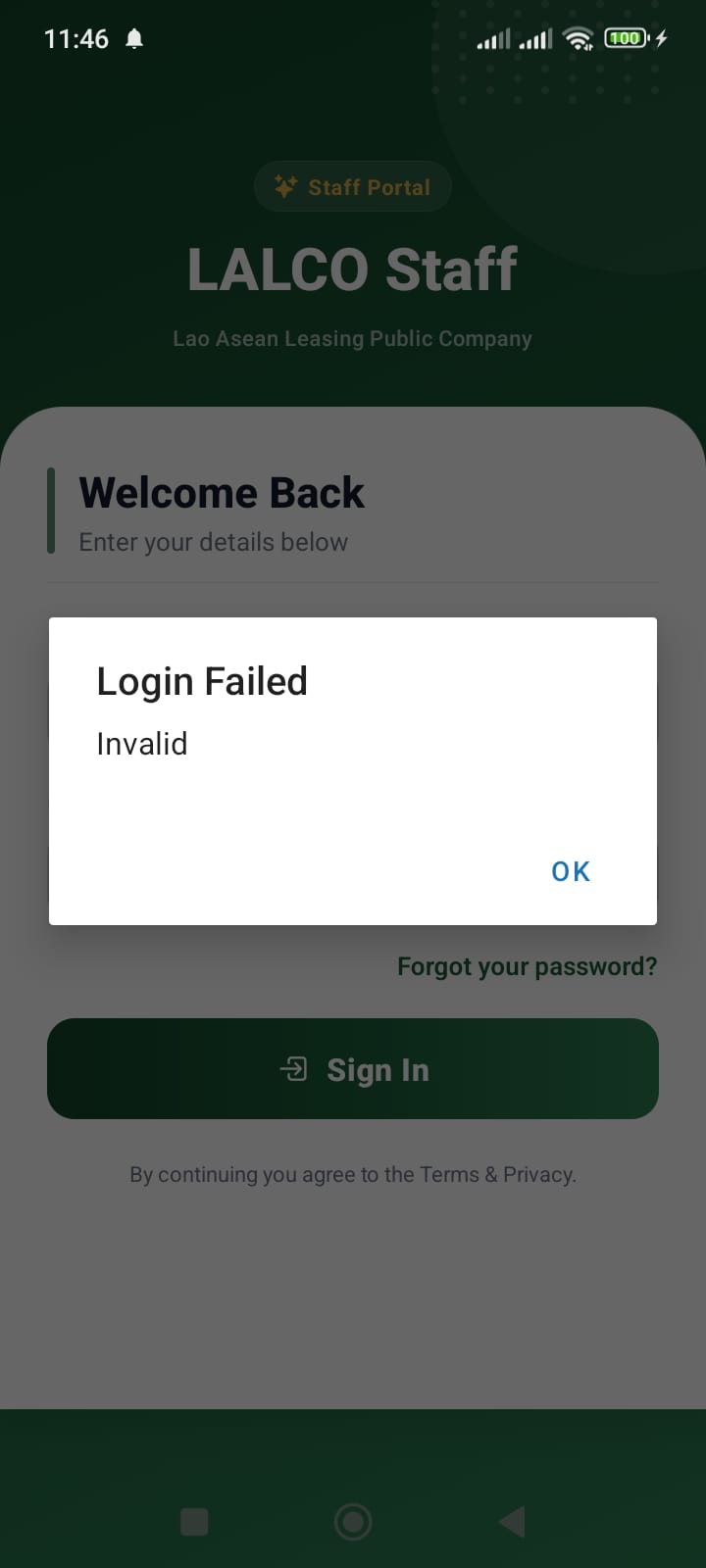
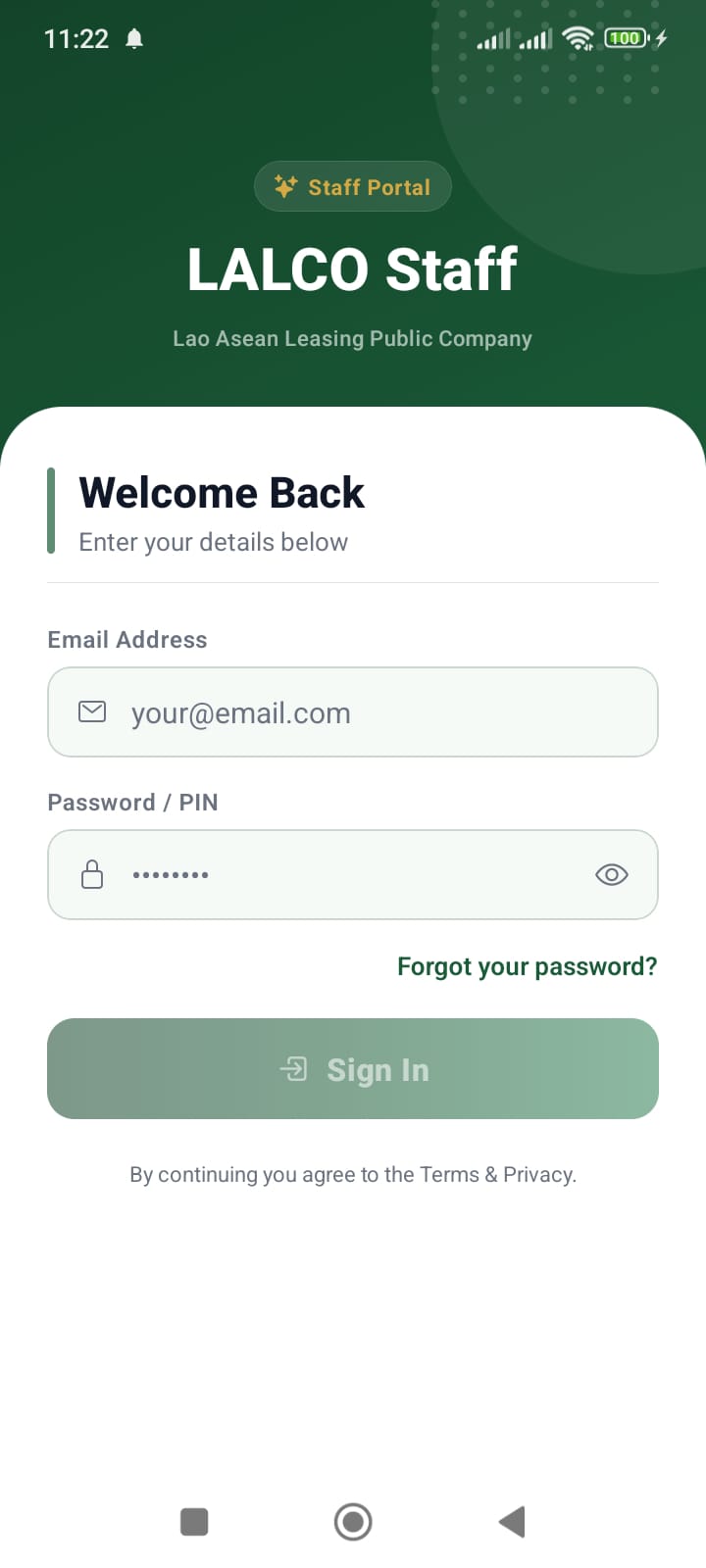
The **Login Screen** allows authorized staff members to access the **LALCO Staff application**. From here, employees can log in to manage customers, track collections, and process loan applications.

---

### Screen Fields

#### Email Address

Users must enter their **registered company email address**.

Example:

<div class="relative w-full mt-4 mb-1" id="bkmrk-staff%40lalco.la"><div class=""><div class="relative"><div class="h-full min-h-0 min-w-0"><div class="h-full min-h-0 min-w-0"><div class="border border-token-border-light border-radius-3xl corner-superellipse/1.1 rounded-3xl"><div class="h-full w-full border-radius-3xl bg-token-bg-elevated-secondary corner-superellipse/1.1 overflow-clip rounded-3xl lxnfua_clipPathFallback"><div class="pe-11 pt-3"><div class="relative z-0 flex max-w-full"><div class="q9tKkq_viewer cm-editor z-10 light:cm-light dark:cm-light flex h-full w-full flex-col items-stretch ͼk ͼy" dir="ltr" id="bkmrk-staff%40lalco.la-1"><div class="cm-scroller"><div class="cm-content q9tKkq_readonly">staff@lalco.la</div></div></div></div></div></div></div></div></div><div class=""><div class="">  
</div></div></div></div></div>This email must be provided by the **system administrator**.

---

#### Password / PIN

Users must enter their **secure password** associated with their account.

Security features:

- Password is hidden by default.
- The **eye icon** can be used to show or hide the password.

---

#### Sign In Button

After entering valid credentials, press **Sign In** to access the system.

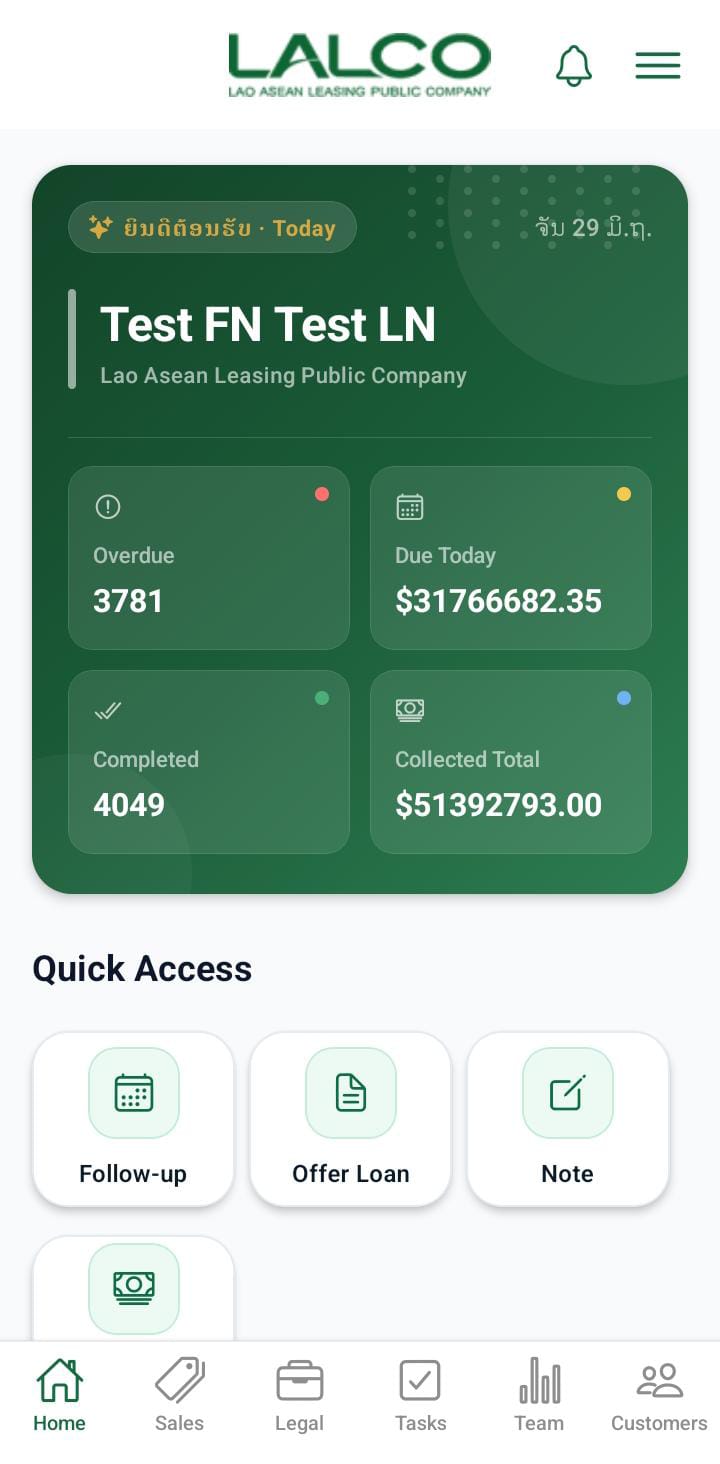
If login is successful, the system will open the **dashboard**.

---

### Terms &amp; Privacy

At the bottom of the screen, users will see the message:

<div class="relative w-full mt-4 mb-1" id="bkmrk-by-continuing-you-ag"><div class=""><div class="relative"><div class="h-full min-h-0 min-w-0"><div class="h-full min-h-0 min-w-0"><div class="border border-token-border-light border-radius-3xl corner-superellipse/1.1 rounded-3xl"><div class="h-full w-full border-radius-3xl bg-token-bg-elevated-secondary corner-superellipse/1.1 overflow-clip rounded-3xl lxnfua_clipPathFallback"><div class="pe-11 pt-3"><div class="relative z-0 flex max-w-full"><div class="q9tKkq_viewer cm-editor z-10 light:cm-light dark:cm-light flex h-full w-full flex-col items-stretch ͼk ͼy" dir="ltr" id="bkmrk-by-continuing-you-ag-1"><div class="cm-scroller"><div class="cm-content q9tKkq_readonly">By continuing you agree to the Terms &amp; Privacy</div></div></div></div></div></div></div></div></div><div class=""><div class="">  
</div></div></div></div></div>This indicates that by logging in, the user agrees to the company's usage policies.

---


#  

# How to Log In

1. Open the **LALCO Staff** application.
2. Enter your **email address**.
3. Enter your **password**.
4. Tap **Sign In**.
5. You will be redirected to the **main dashboard**.

[![Screenshot_20260316_113327_Expo Go.jpg.jpeg](http://wiki.lalco.la/uploads/images/gallery/2026-03/scaled-1680-/screenshot-20260316-113327-expo-go-jpg.jpeg)](http://wiki.lalco.la/uploads/images/gallery/2026-03/screenshot-20260316-113327-expo-go-jpg.jpeg)
---

# Common Login Issues[![screenshot-20260316-112434-expo-go-jpg.jpg](http://wiki.lalco.la/uploads/images/gallery/2026-03/scaled-1680-/8Oxscreenshot-20260316-112434-expo-go-jpg.jpg)](http://wiki.lalco.la/uploads/images/gallery/2026-03/8Oxscreenshot-20260316-112434-expo-go-jpg.jpg)

### Incorrect Password

If the password is incorrect:

- Check if **Caps Lock** is enabled.
- Re-enter the password carefully.

### Invalid Email

Make sure you are using your **official company email**.

Example:

<div class="relative w-full mt-4 mb-1" id="bkmrk-username%40lalco.lk"><div class=""><div class="relative"><div class="h-full min-h-0 min-w-0"><div class="h-full min-h-0 min-w-0"><div class="border border-token-border-light border-radius-3xl corner-superellipse/1.1 rounded-3xl"><div class="h-full w-full border-radius-3xl bg-token-bg-elevated-secondary corner-superellipse/1.1 overflow-clip rounded-3xl lxnfua_clipPathFallback"><div class="pe-11 pt-3"><div class="relative z-0 flex max-w-full"><div class="q9tKkq_viewer cm-editor z-10 light:cm-light dark:cm-light flex h-full w-full flex-col items-stretch ͼk ͼy" dir="ltr" id="bkmrk-username%40lalco.lk-1"><div class="cm-scroller"><div class="cm-content q9tKkq_readonly">username@lalco.la</div></div></div></div></div></div></div></div></div><div class=""><div class="">  
</div></div></div></div></div>---

# Security Guidelines

- Do **not share your login credentials**.
- Always **log out when using a shared device**.

Change your password regularly.