Sales Screen
 |
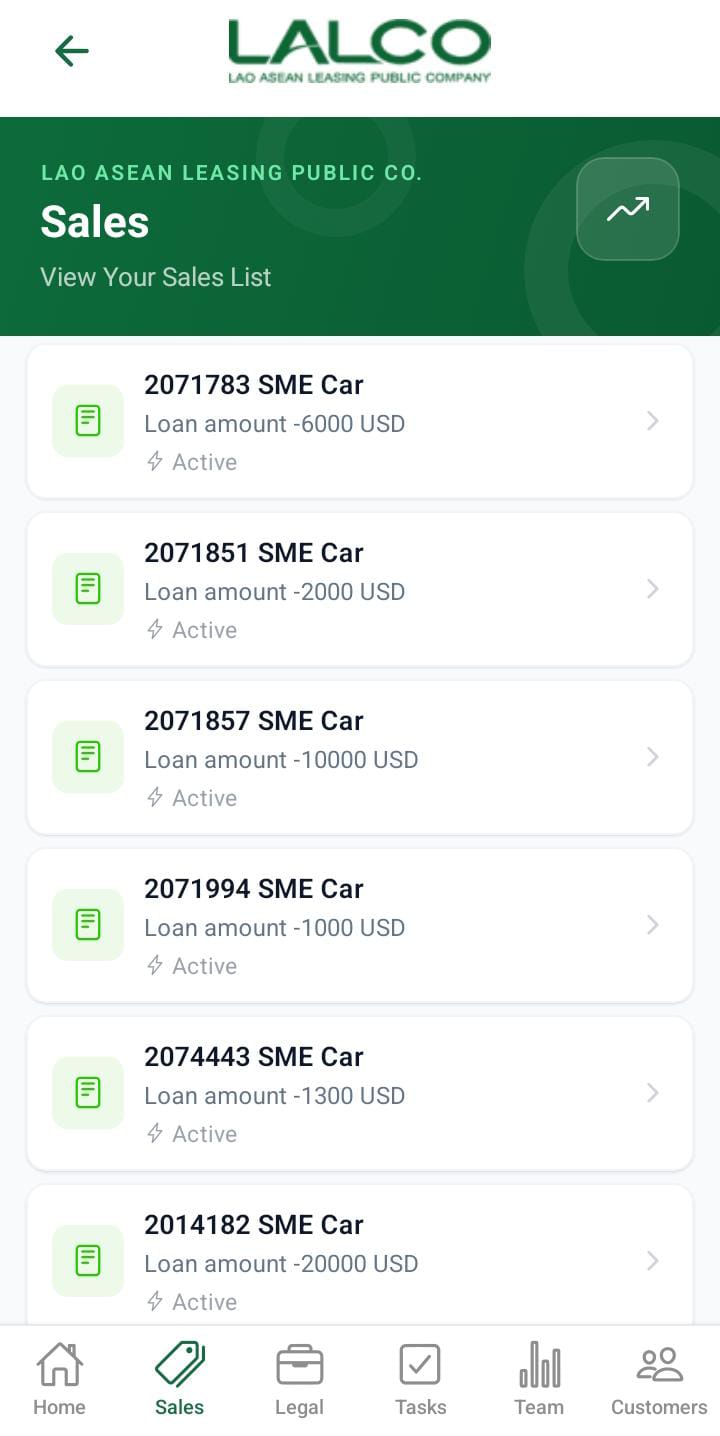 |
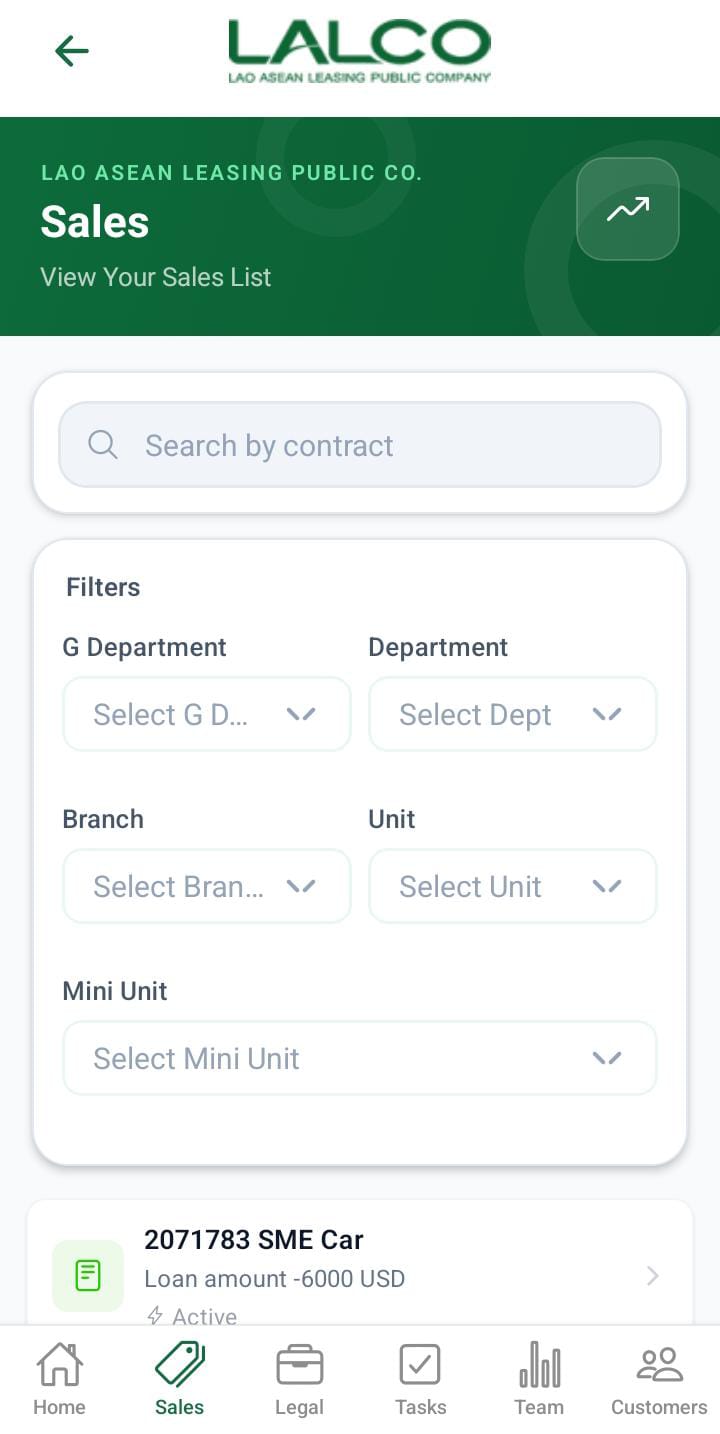
The Sales Screen allows staff to view and manage all loan sales within the system. It provides a searchable and filterable list of sales records, helping agents track contract details.
Header Section
Page Title
Sales
Indicates that the user is viewing the list of all sales records.
Description
Provides a quick explanation of the screen’s purpose.
Action Icon 📈
The icon on the right may be used to:
Search Function
Search Bar
Allows users to search sales by:
Filter Options
Users can filter sales based on their status
The filters above are displayed based on the user's role.
When the role is,
- Admin can view all the filters.
- g_dept, can all filters except the g department
- dept, can branch, unit and ini unit filters
- sec_branch can view the unit and the mini unit
- unit, can view,munit
- munit can see the filters; they can only see the search filters,
Sales List
Each item in the list represents a sale record. All sales(contract recodes) are active cases in LMSV1
Information Displayed
Each sales item shows:
Sales Details Screen
 |
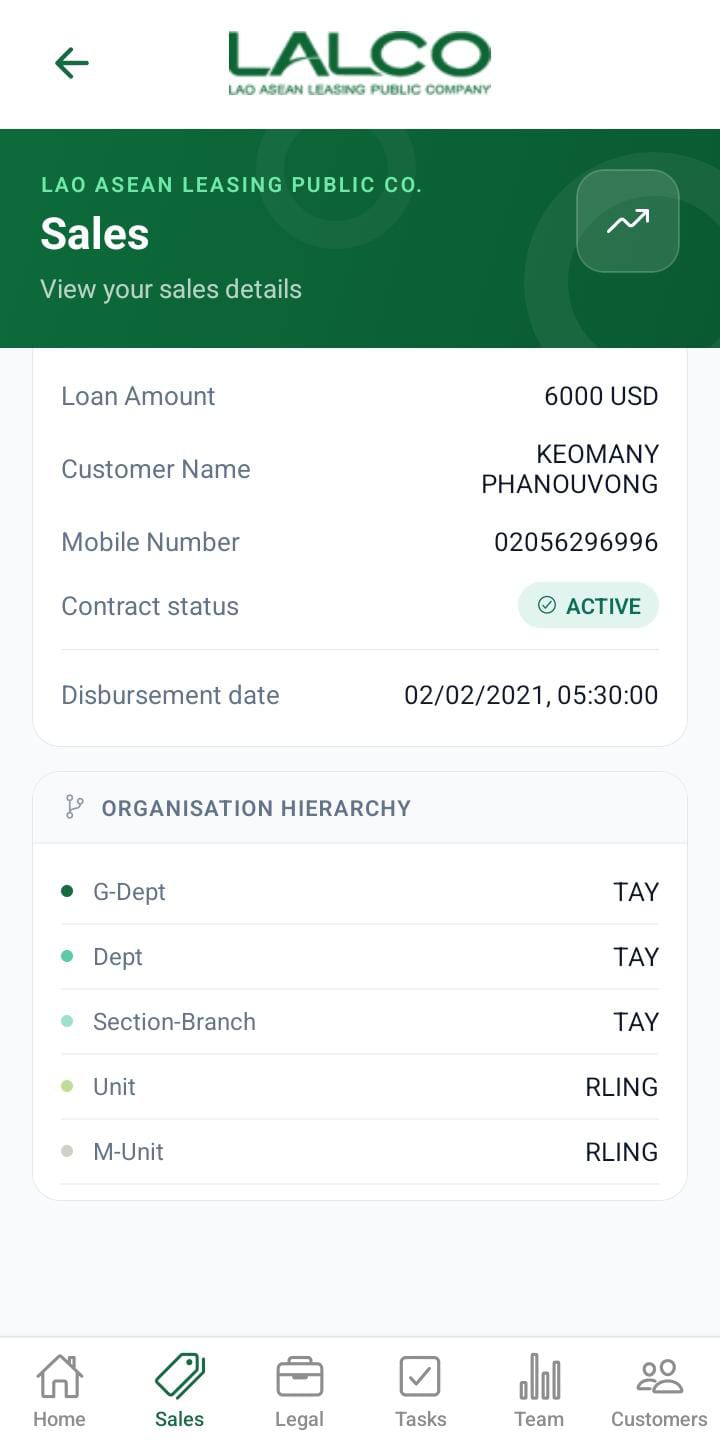 |
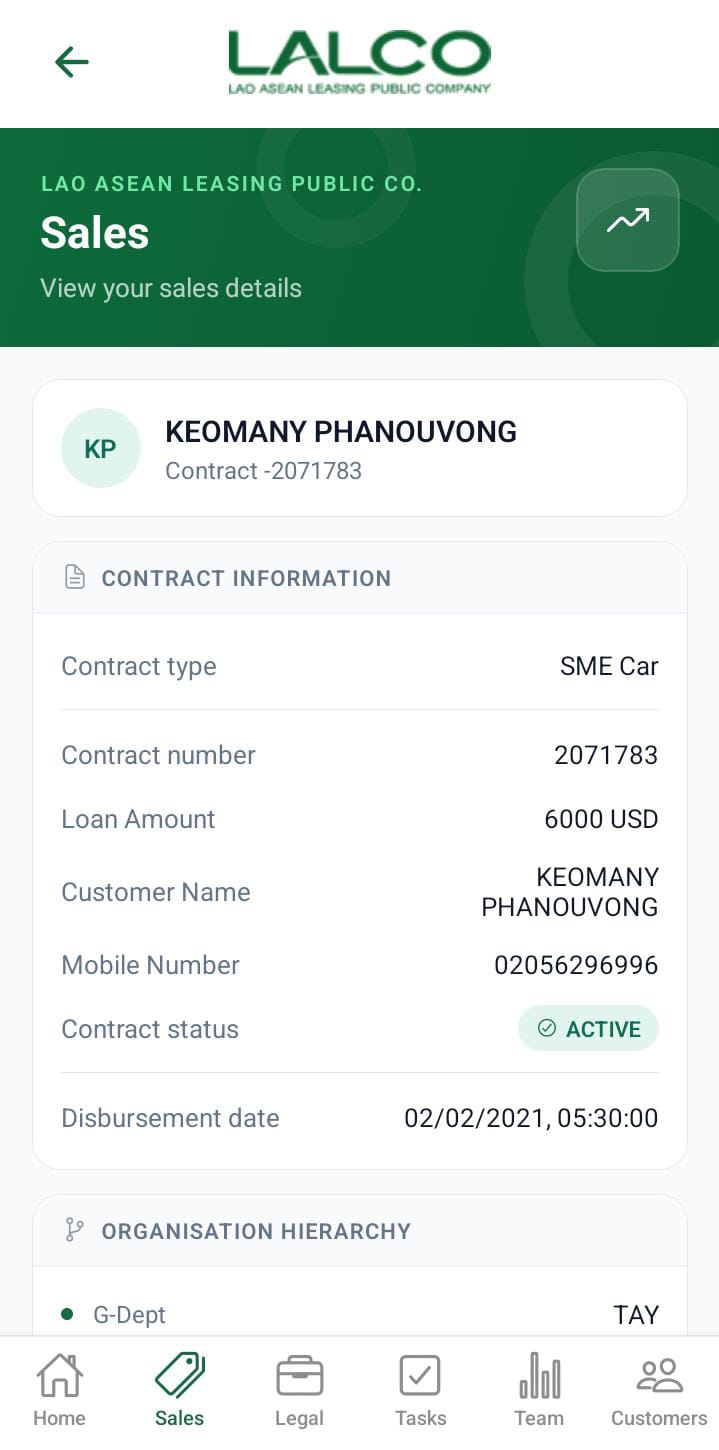
The Sales Details Screen provides detailed information about a selected contract. It allows staff to review contract details.
Header Section
Page Title
Sales
Indicates the user is viewing detailed information of a specific sale.
Description
Explains the purpose of this screen.
Back Button ←
Allows users to return to the Sales List Screen.
Action Icon 📈
May be used to view:
-
Sales performance
-
Reports or analytics related to the selected contract
Contact Information Section
This section displays key details of the selected sale/contract.
- contract type
- contract number
- loan amount
- customer name
- mobile number
- contract status
- disbursement date
- Organisation Hierarchy.