# Special case Screen

<table border="1" id="bkmrk-" style="border-collapse: collapse; width: 100%;"><colgroup><col style="width: 50%;"></col><col style="width: 50%;"></col></colgroup><tbody><tr><td class="align-center">[![WhatsApp Image 2026-06-30 at 9.40.15 AM(1).jpeg](http://wiki.lalco.la/uploads/images/gallery/2026-06/scaled-1680-/whatsapp-image-2026-06-30-at-9-40-15-am1.jpeg)](http://wiki.lalco.la/uploads/images/gallery/2026-06/whatsapp-image-2026-06-30-at-9-40-15-am1.jpeg)</td><td class="align-center">[![WhatsApp Image 2026-06-30 at 9.40.15 AM(2).jpeg](http://wiki.lalco.la/uploads/images/gallery/2026-06/scaled-1680-/whatsapp-image-2026-06-30-at-9-40-15-am2.jpeg)](http://wiki.lalco.la/uploads/images/gallery/2026-06/whatsapp-image-2026-06-30-at-9-40-15-am2.jpeg)</td></tr></tbody></table>

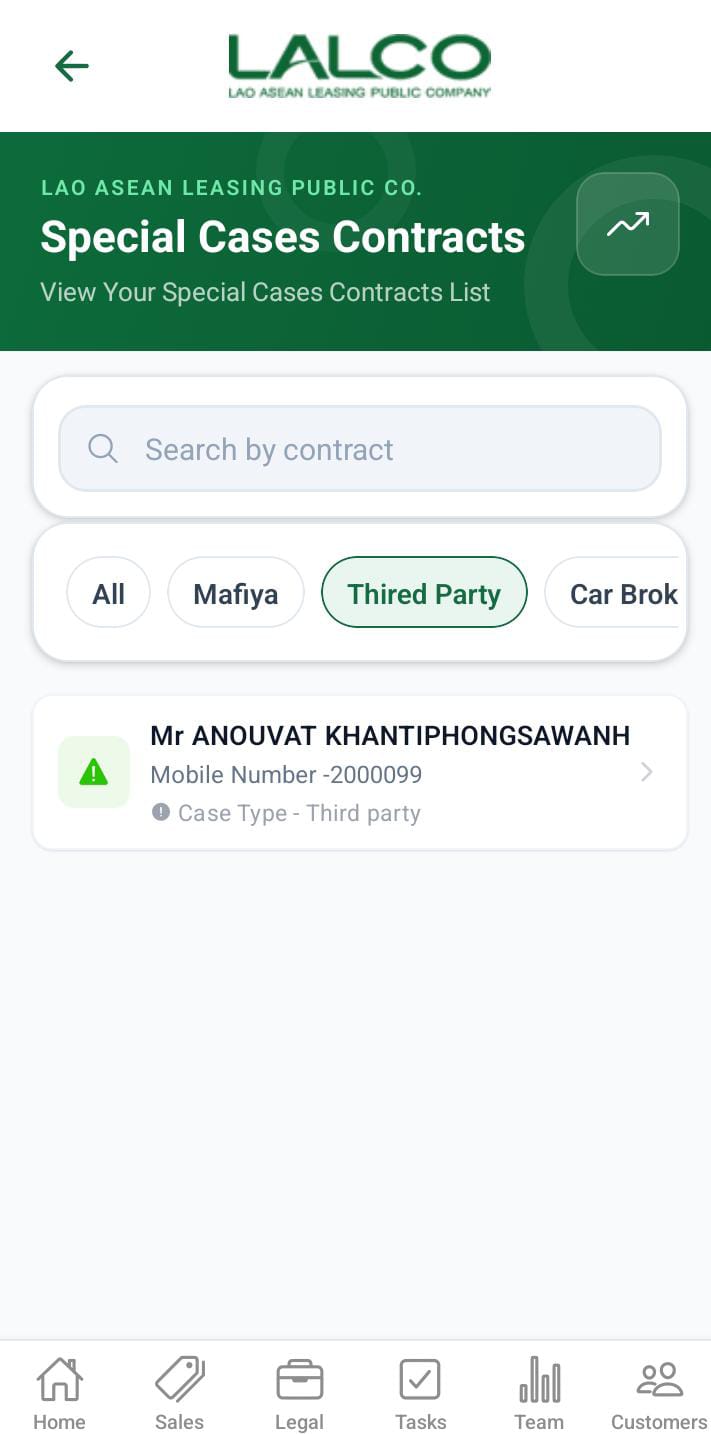
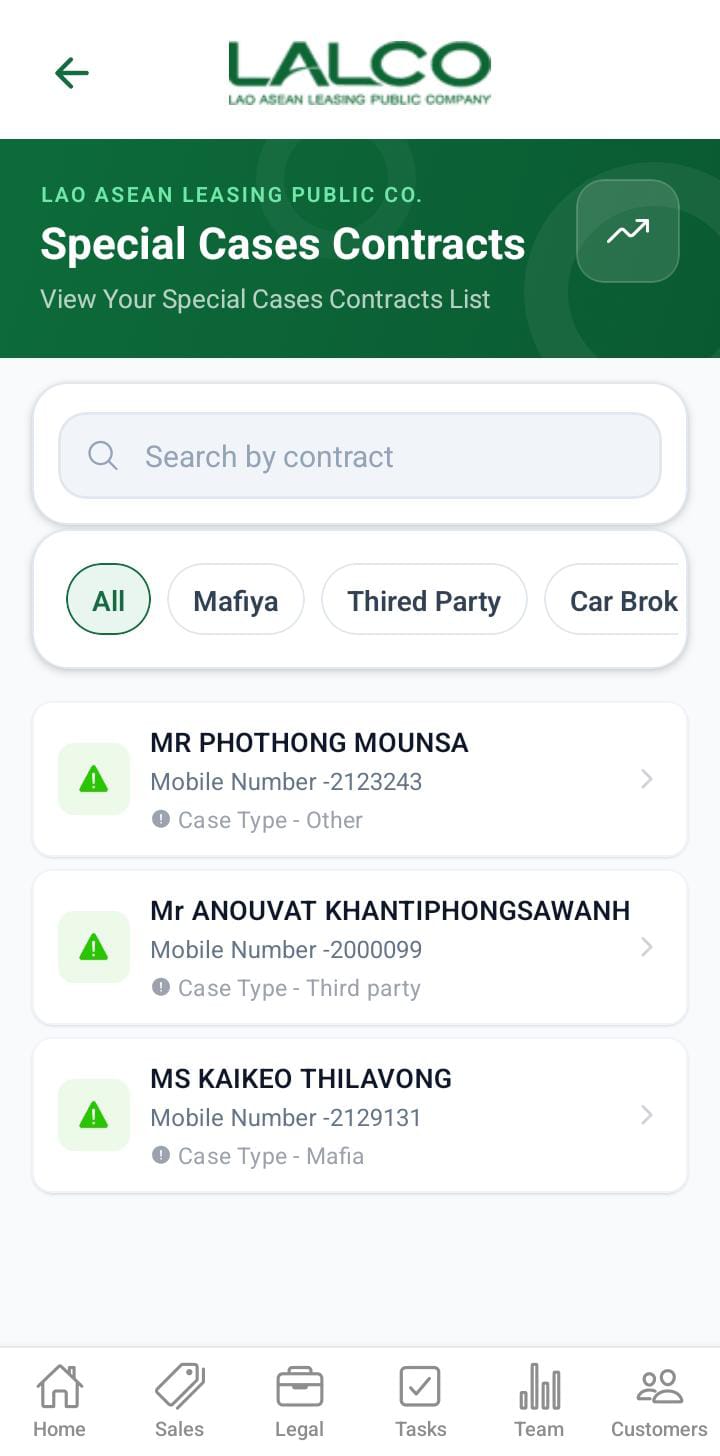
This screen allows users to view special cases. Contracts are treated as special cases when any of the predefined conditions are met. If a special case is identified during a **customer visit,** the submitted data will be displayed on the Special Cases screen.

- Marfia
- Third party
- Car broken
- Customer arrested / Passed away
- Seized by police
- Gps offline
- Other (assign to this filter when GPS Repair or installation)

---

# Access Path

<div class="relative w-full mt-4 mb-1" id="bkmrk-home-%E2%86%92-call-history"><div class=""><div class="relative"><div class="h-full min-h-0 min-w-0"><div class="h-full min-h-0 min-w-0"><div class="border border-token-border-light border-radius-3xl corner-superellipse/1.1 rounded-3xl"><div class="h-full w-full border-radius-3xl bg-token-bg-elevated-secondary corner-superellipse/1.1 overflow-clip rounded-3xl lxnfua_clipPathFallback"><div class="pe-11 pt-3"><div class="relative z-0 flex max-w-full"><div class="q9tKkq_viewer cm-editor z-10 light:cm-light dark:cm-light flex h-full w-full flex-col items-stretch ͼk ͼy" dir="ltr" id="bkmrk-home-%E2%86%92-call-history-1"><div class="cm-scroller"><div class="cm-content q9tKkq_readonly">side menue -&gt; special cases</div></div></div></div></div></div></div></div></div><div class=""><div class="">[![WhatsApp Image 2026-06-30 at 9.40.15 AM.jpeg](http://wiki.lalco.la/uploads/images/gallery/2026-06/scaled-1680-/whatsapp-image-2026-06-30-at-9-40-15-am.jpeg)](http://wiki.lalco.la/uploads/images/gallery/2026-06/whatsapp-image-2026-06-30-at-9-40-15-am.jpeg)</div></div></div></div></div>---

# Special case details screen

[![WhatsApp Image 2026-06-30 at 9.42.14 AM.jpeg](http://wiki.lalco.la/uploads/images/gallery/2026-06/scaled-1680-/whatsapp-image-2026-06-30-at-9-42-14-am.jpeg)](http://wiki.lalco.la/uploads/images/gallery/2026-06/whatsapp-image-2026-06-30-at-9-42-14-am.jpeg)

## Overview

User can view the full details about the special case.

---

## Actions on the special cases.

<table border="1" id="bkmrk--5" style="border-collapse: collapse; width: 100%;"><colgroup><col style="width: 50%;"></col><col style="width: 50%;"></col></colgroup><tbody><tr><td class="align-center">[![WhatsApp Image 2026-06-30 at 9.42.14 AM(1).jpeg](http://wiki.lalco.la/uploads/images/gallery/2026-06/scaled-1680-/whatsapp-image-2026-06-30-at-9-42-14-am1.jpeg)](http://wiki.lalco.la/uploads/images/gallery/2026-06/whatsapp-image-2026-06-30-at-9-42-14-am1.jpeg)</td><td class="align-center">[![WhatsApp Image 2026-06-30 at 9.42.14 AM(2).jpeg](http://wiki.lalco.la/uploads/images/gallery/2026-06/scaled-1680-/whatsapp-image-2026-06-30-at-9-42-14-am2.jpeg)](http://wiki.lalco.la/uploads/images/gallery/2026-06/whatsapp-image-2026-06-30-at-9-42-14-am2.jpeg)</td></tr></tbody></table>

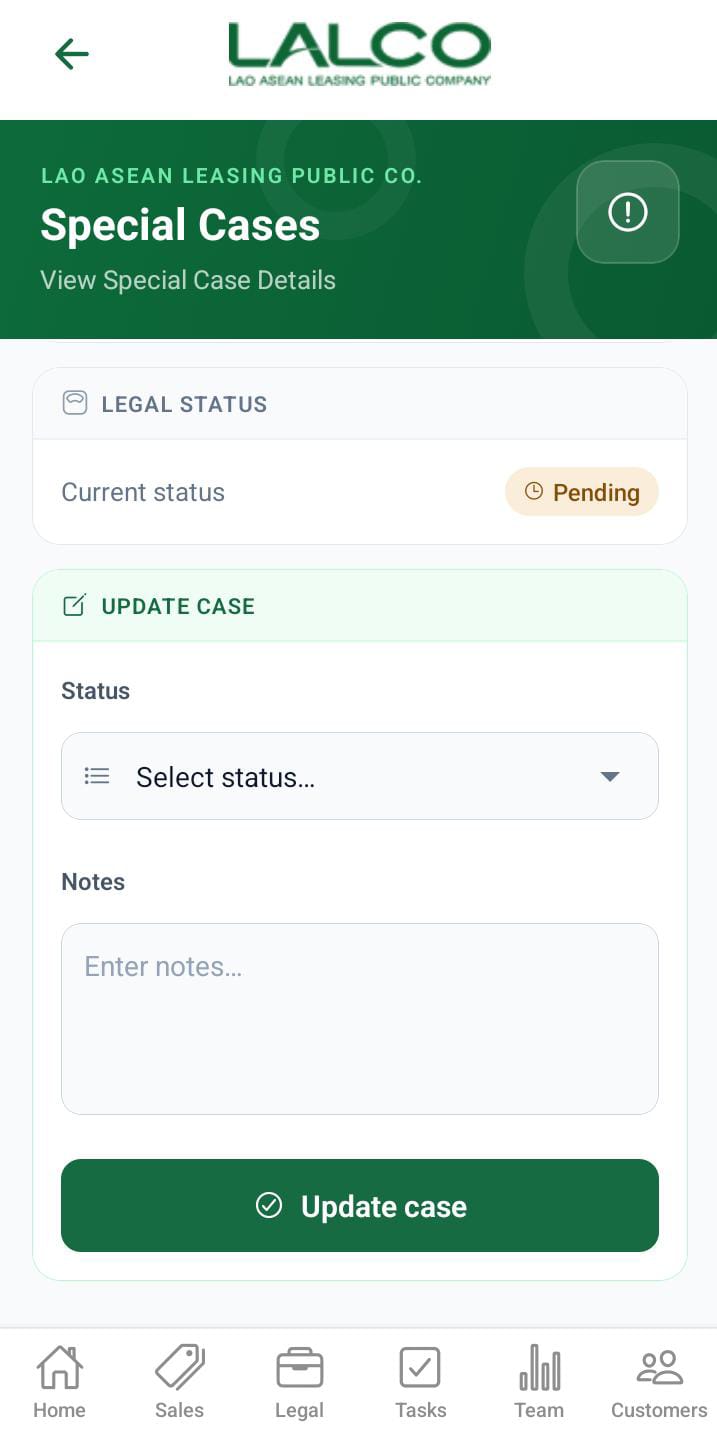
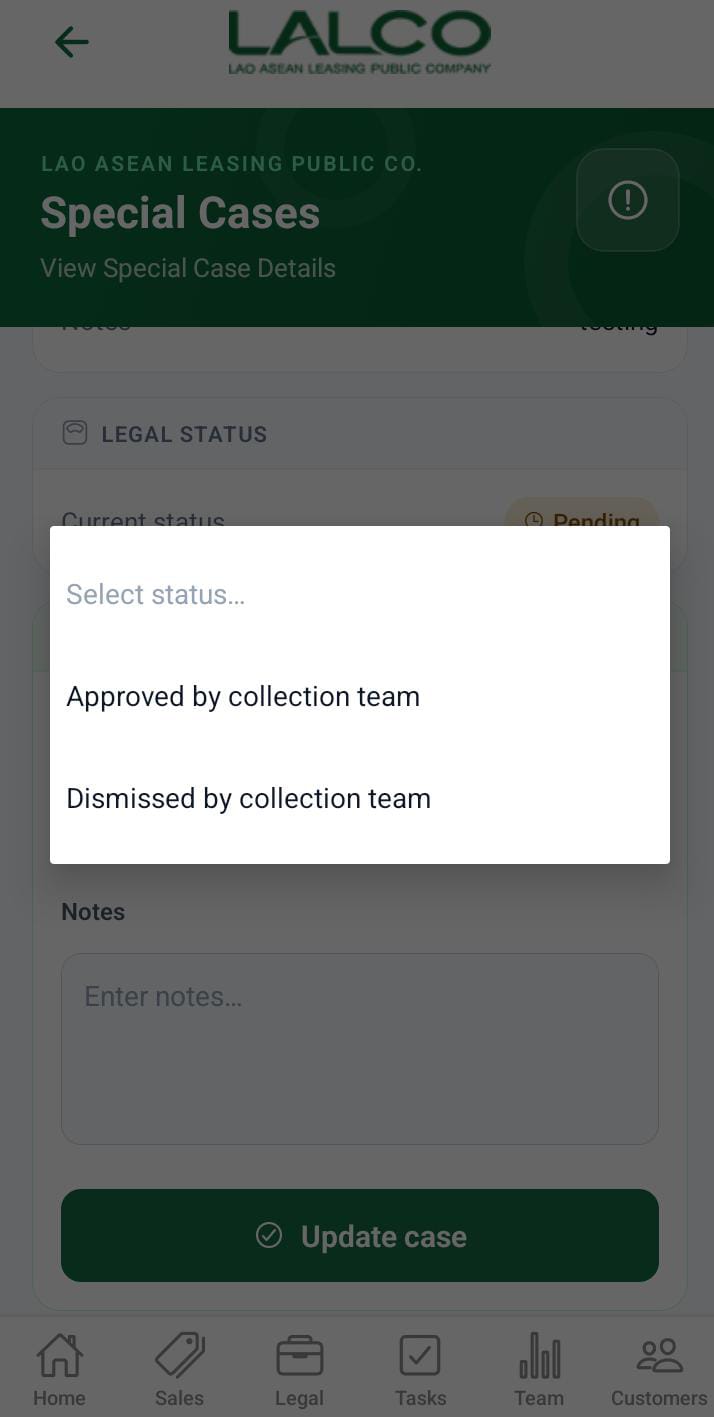
If the special cases need to take legal action, the collection team need to mention it to take the legal actions. That is done in this section. For that need to specify **Approved by the collection team** as the status. After submission, the collection team user cannot change it. After submission, that data will be displayed in the legal screen.