Team Dashboard Screen
 |
 |
 |
 |
 |
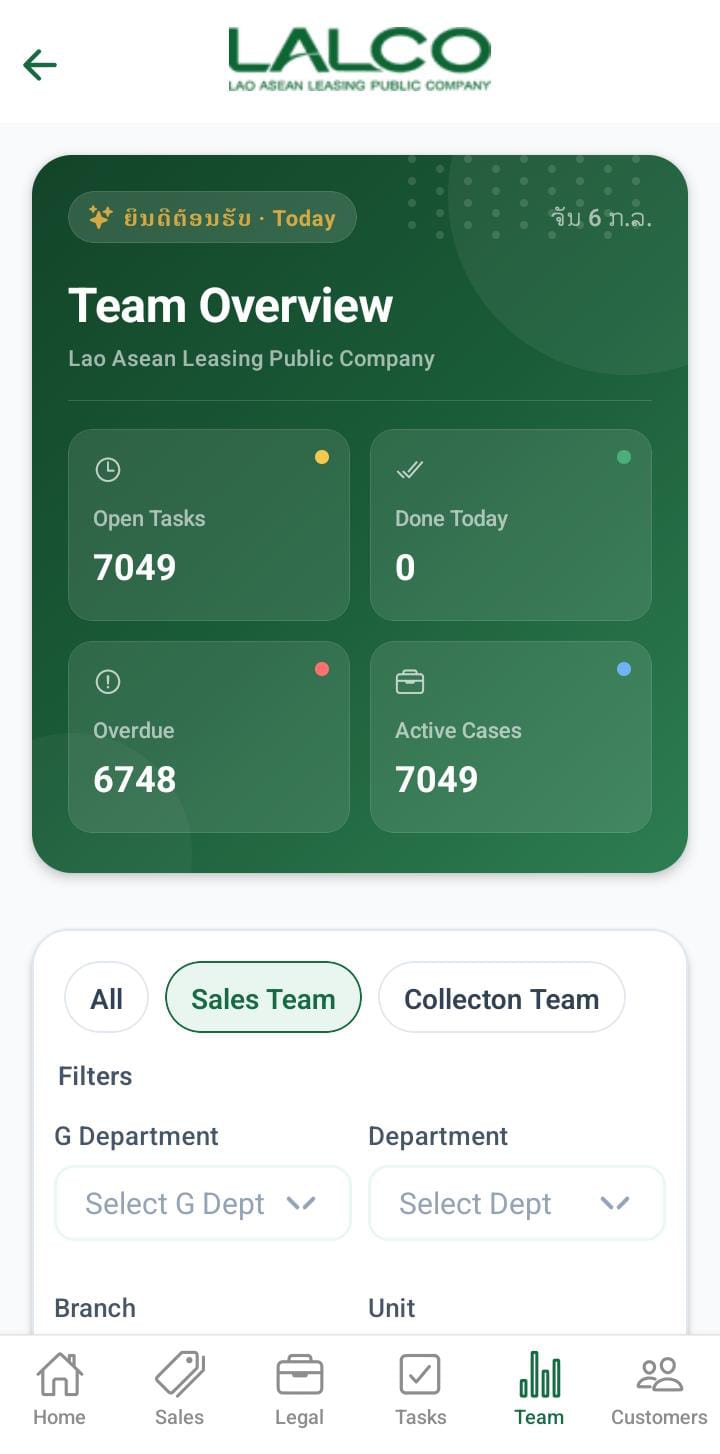
The Team Dashboard Screen provides a quick overview of team performance, task distribution, and case analytics. It helps staff monitor monthly cases.GPS offline count.
Header Section
Date Indicator
Displays the current working day.
Example:
Page Title
Team Pulse
Shows that this section focuses on team activity and performance.
Team Summary Cards
This section provides a quick snapshot of team activity:
-
Open Tasks → Total number of tasks
-
Done Today → Tasks completed until the current day
-
Overdue → Overdue contract count
-
Active Cases → Total ongoing contract count handled by the team
Department Tasks
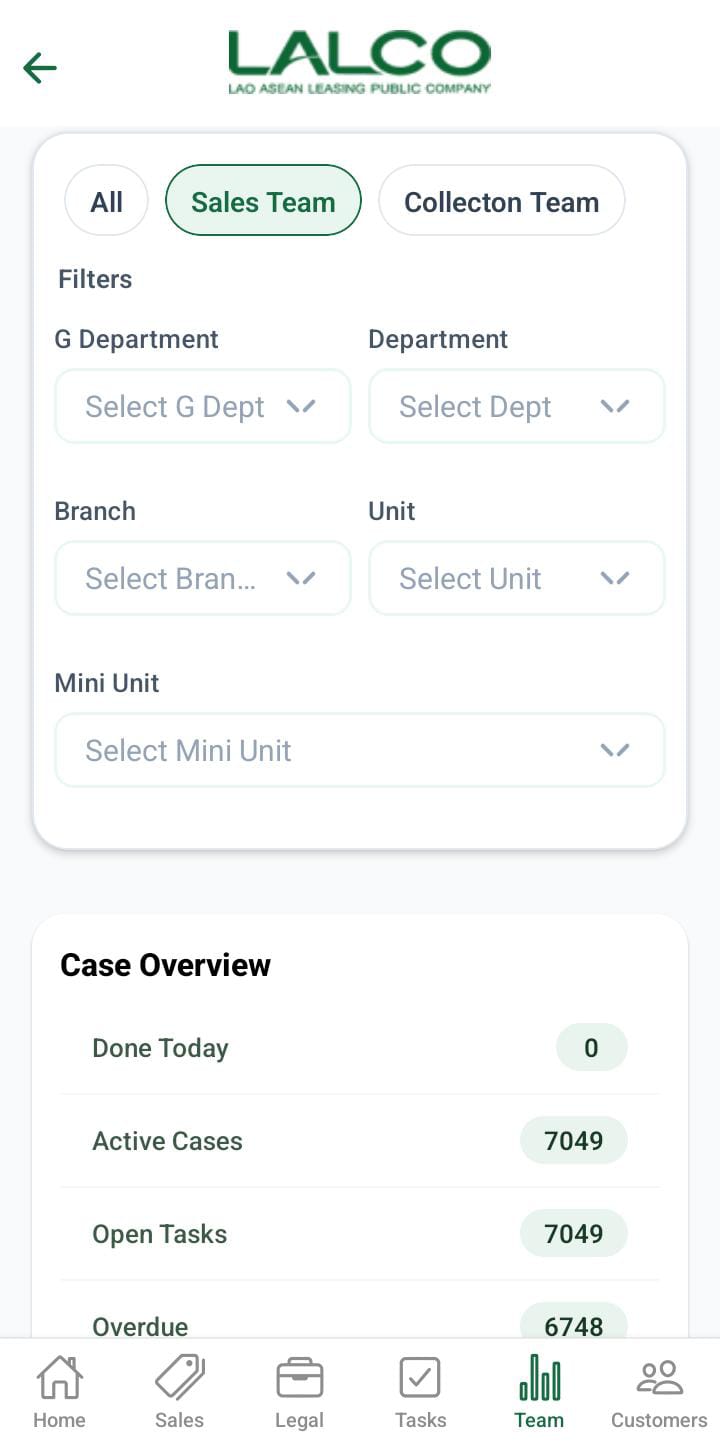
Tabs
Users can switch between departments:
-
Collections team
-
Sales team
This allows viewing performance data for each department separately.
User can apply the gdept, dept, sec_branch, unit,munit filter for the sales team.
User can apply the gdept, dept, collection unit, collection tl and collection filter for the collection team.
Analytics Section
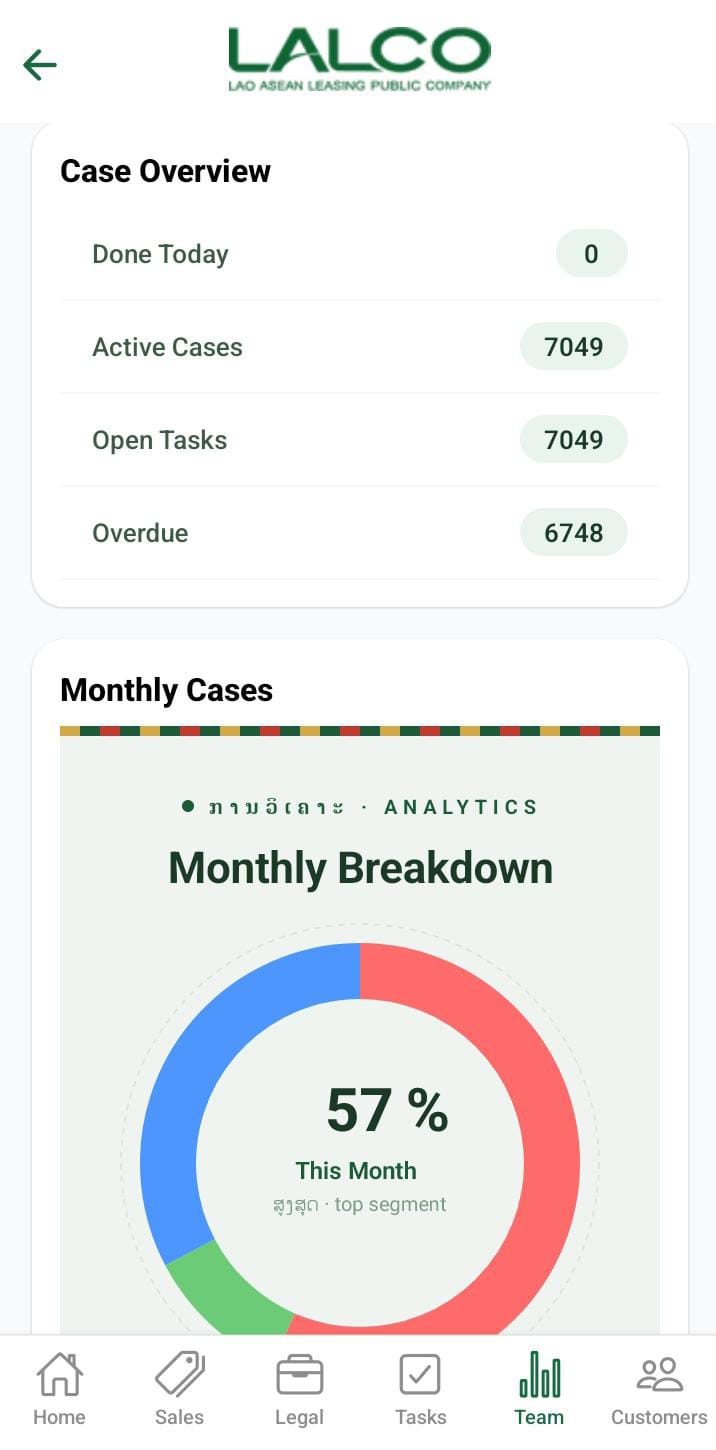
Case overview
 Done Today - Today payment collection contract count
 - Active cases - Total active contract count
- Open Task - Total task count
- Overdue - Total overdue contract count
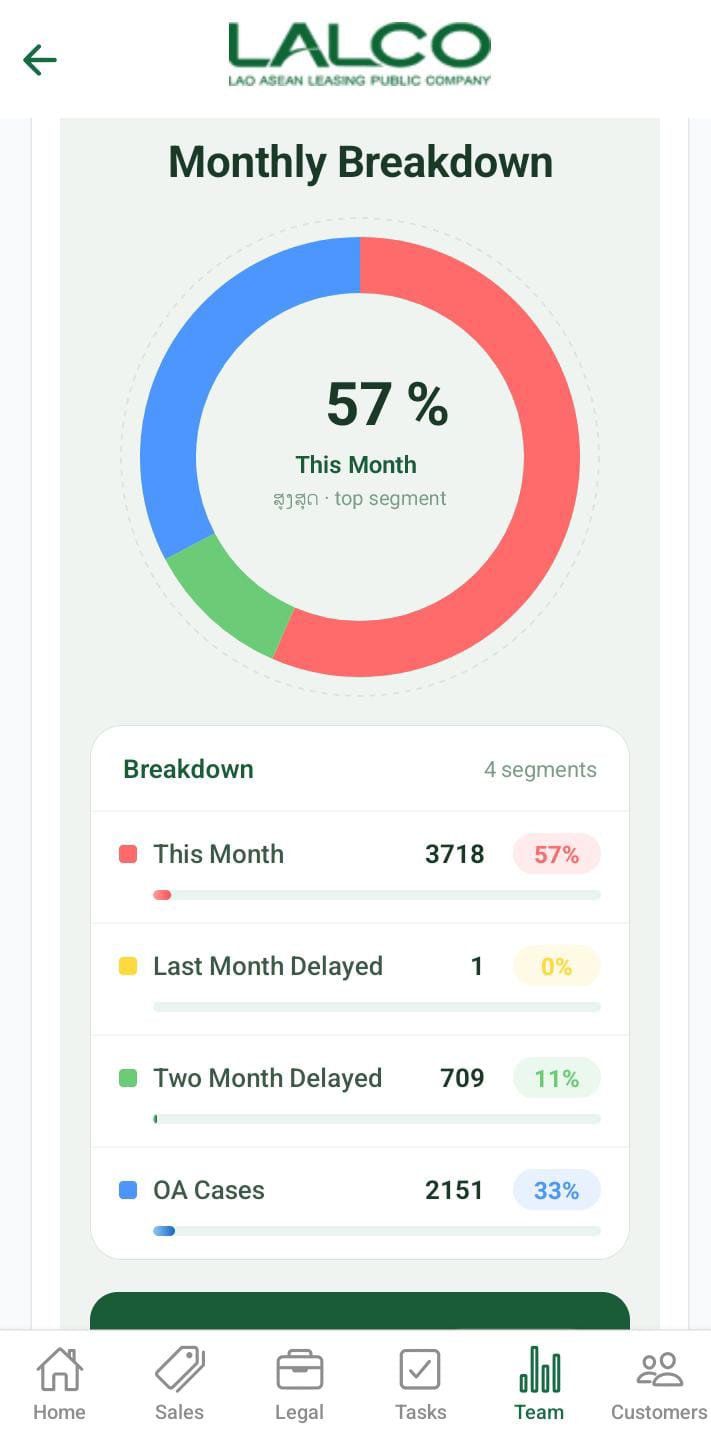
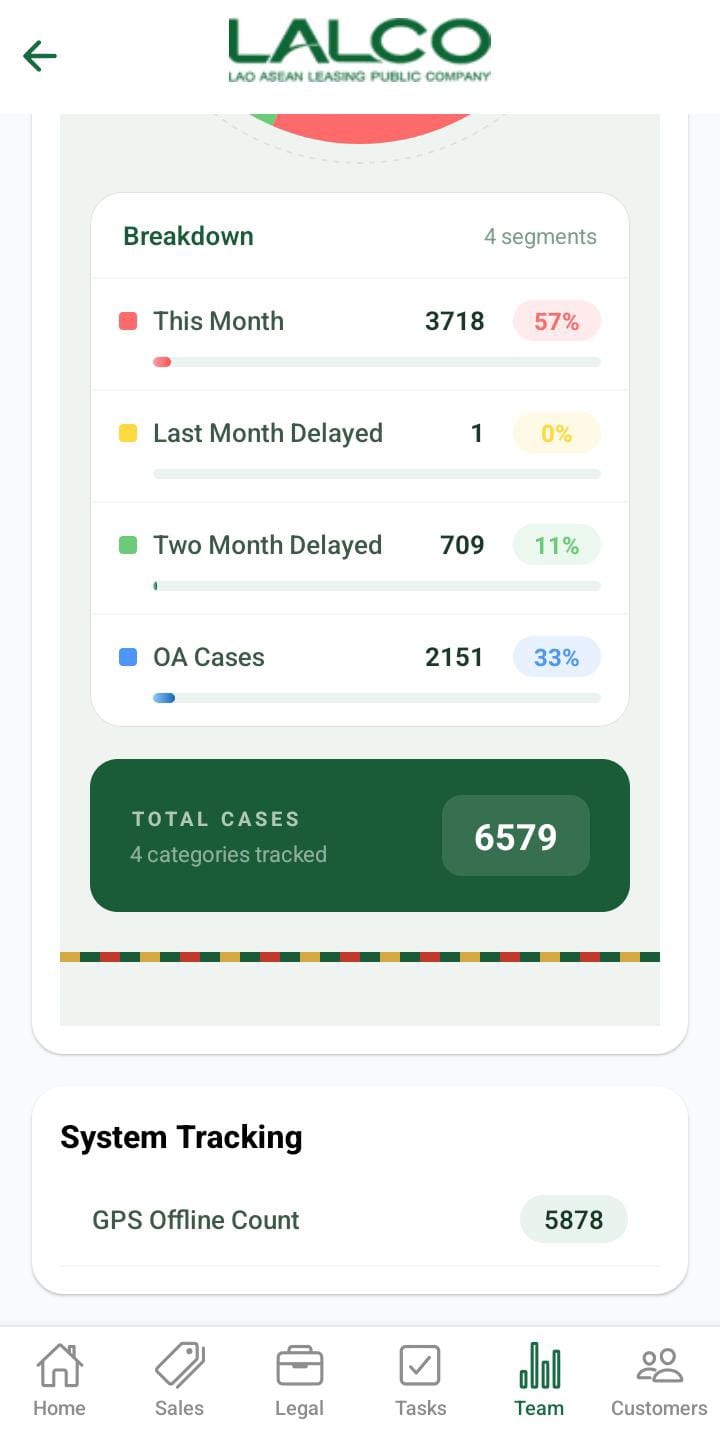
Monthly break down
Monthly Cases
Displays a visual breakdown of case categories. These amounts will display according to the applied payments.
Includes:
-
This Month
-
Last Month
-
2 Months Delayed
-
OA Cases
Each shows:
-
Number of cases
-
Percentage contribution
How to Use
View Team
-
Open the Team tab
Switch Department
-
Tap Collections / Sales
-
View updated analytics