# Sales Result Report
##### **Overview**
A Sales Result Report is a comprehensive document that analyzes a company's sales performance over a specific period. It typically includes various metrics and insights to help businesses evaluate their sales strategies, identify areas for improvement, and make data-driven decisions. This Page explains the Sales Result interface, which is part of the system. The interface allows users to view, search, and download data sheets.
[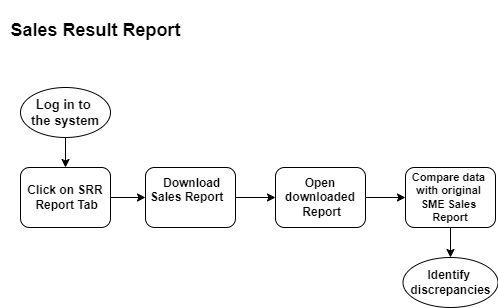](http://wiki.lalco.la/uploads/images/gallery/2024-10/r6gsrr-drawio.png)
**Sales Result Report Diagram**
[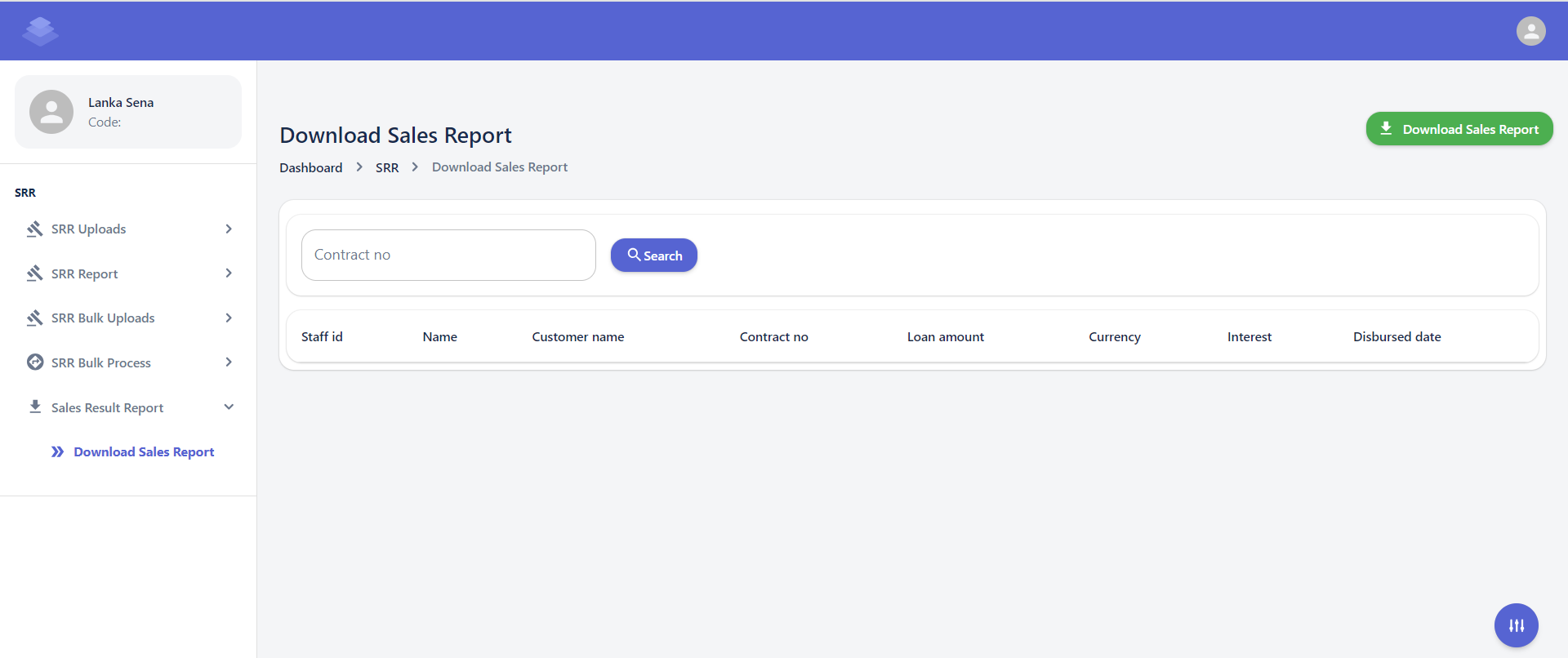](http://wiki.lalco.la/uploads/images/gallery/2024-10/cL3screenshot-2024-10-09-140427.png)
##### **Steps**
1. **Navigate to the Download Sales Report**
- Log in to the system and navigate to the "Dashboard" section.
- Click on the "SRR Report" tab.
- Select the "Download Sales Report" option.
**Dashboard >SRR>Download Sales Report**
2. **Download the "Download Sales Report".** Click the "Download Sales Report" button to download a Sales Report in a desired format (e.g., CSV, Excel).
[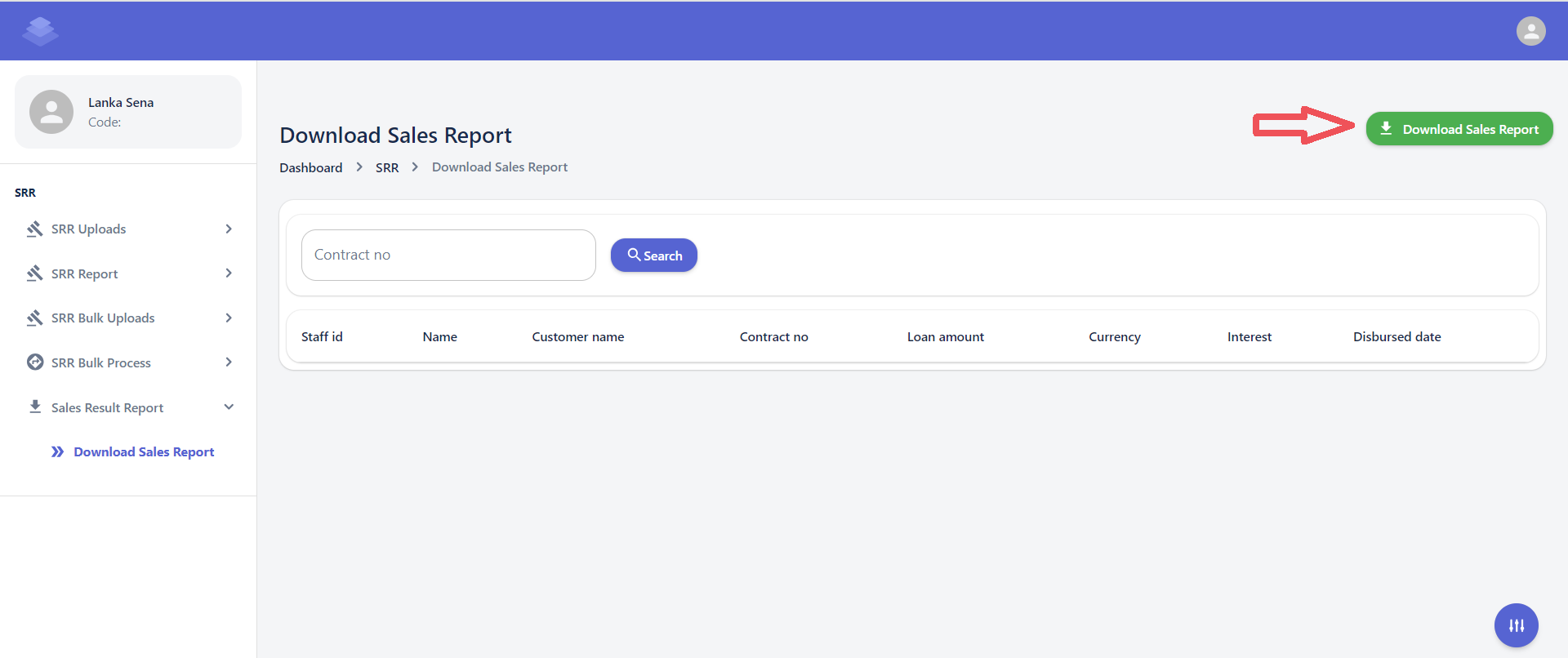](http://wiki.lalco.la/uploads/images/gallery/2024-10/ZQfimage.png)
3. **Check the "Download Sales Report".
- Only the raw data from the uploaded sample sheet is included. When you export the data, the values in the formula columns will be automatically calculated
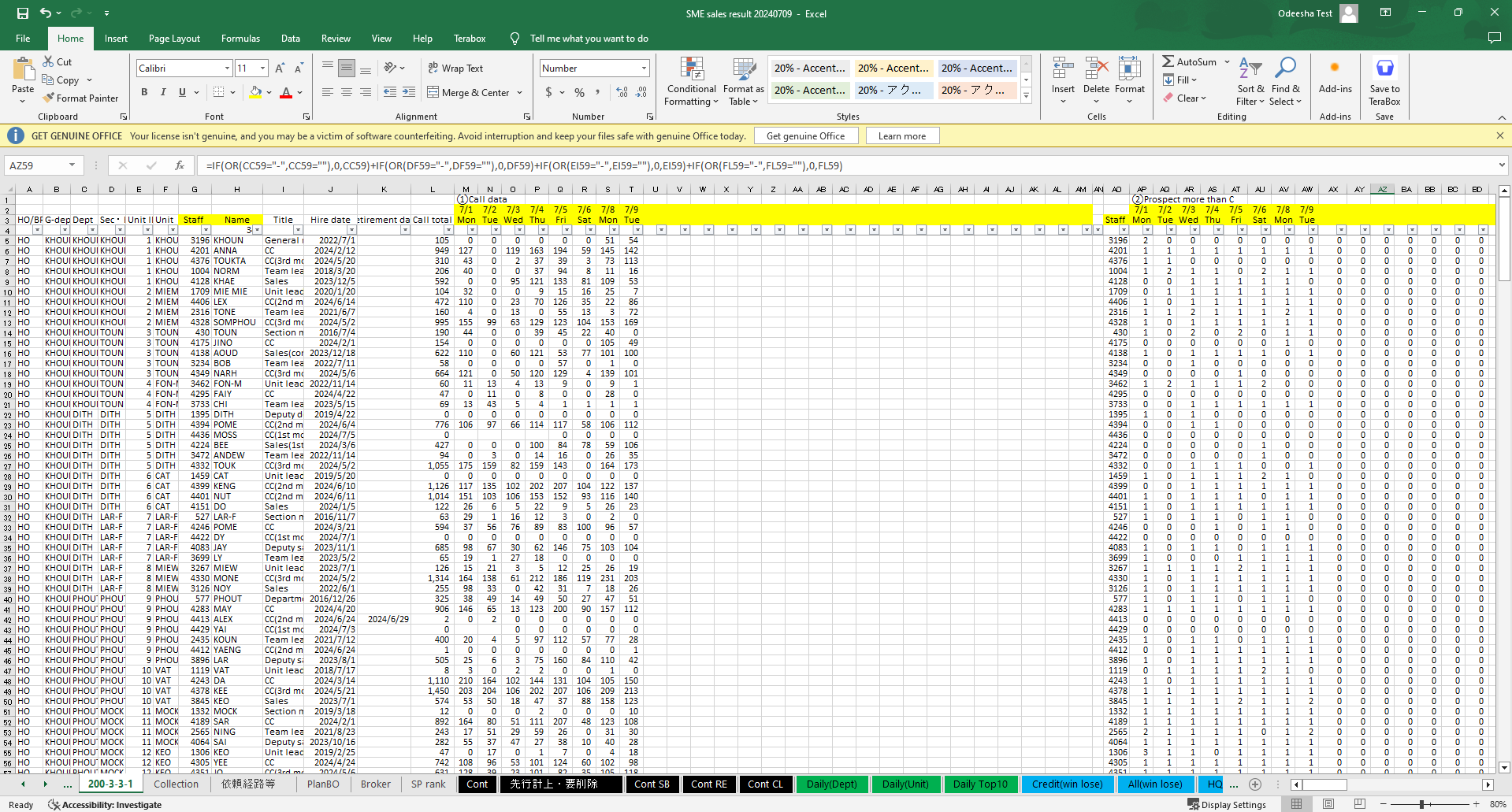
- Check downloaded Sales report sheets Against the Original SME Sales Report to Identify Discrepancies or Errors
[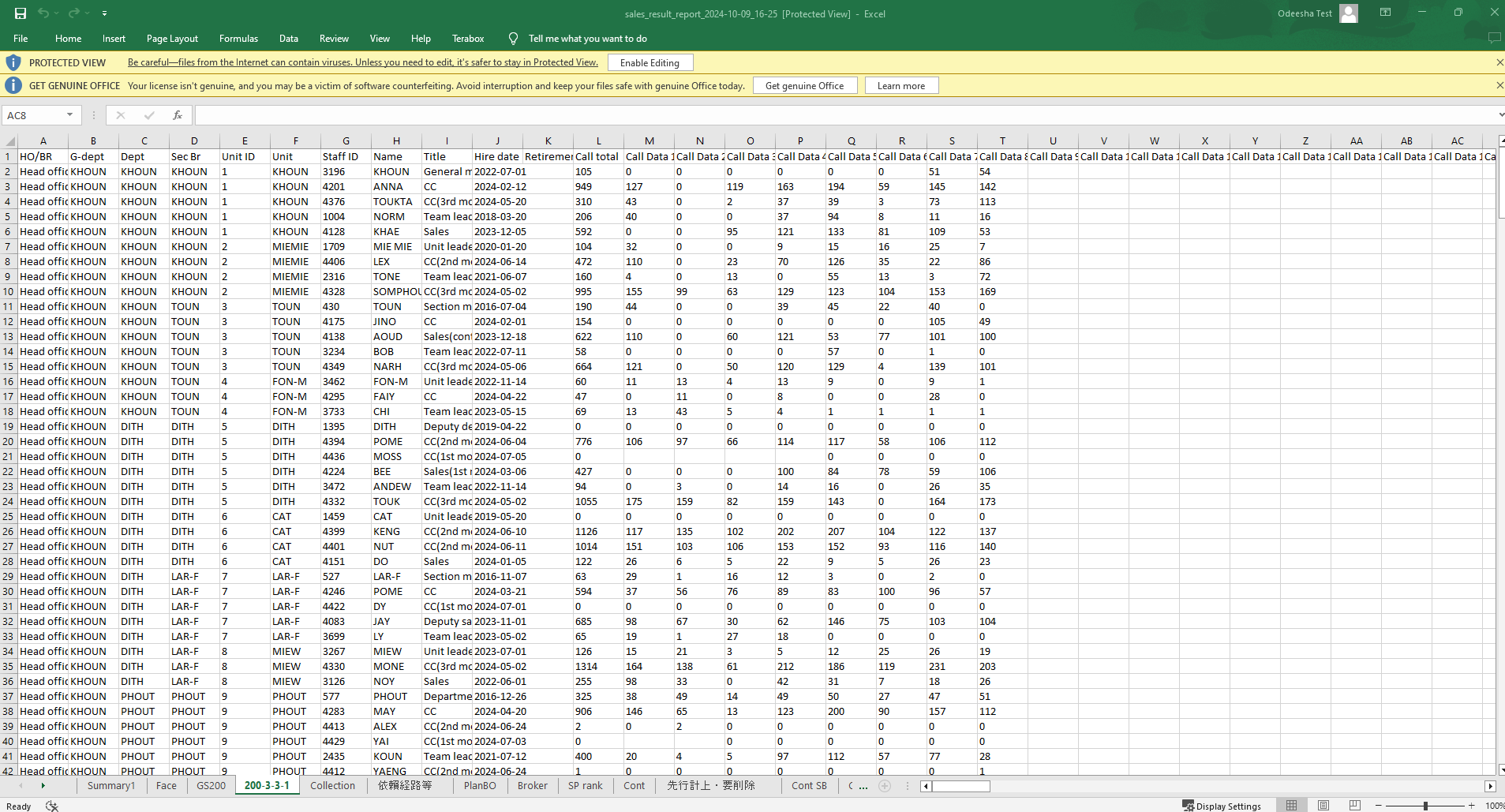](http://wiki.lalco.la/uploads/images/gallery/2024-10/a0himage.png)
Downloaded Sales report
[](http://wiki.lalco.la/uploads/images/gallery/2024-10/Vmcimage.png)
Original SME Sales Report