# SRR Uploads
**SRR Uploads
Overview** The SRR Uploads feature provides a centralized platform for managing various data uploads related to the Sales Report (SRR) module. This includes uploading rules, staff lists, and other relevant data.
[](http://wiki.lalco.la/uploads/images/gallery/2024-10/aKmsrr-uploads-drawio-1.png)
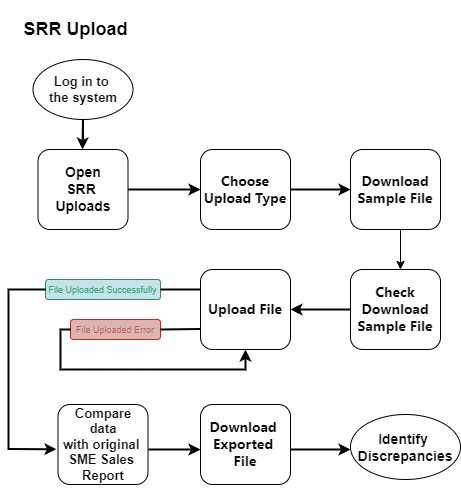
**SRR Upload**
[](http://wiki.lalco.la/uploads/images/gallery/2024-10/screenshot-2024-10-08-091318.png)
##### **Steps**
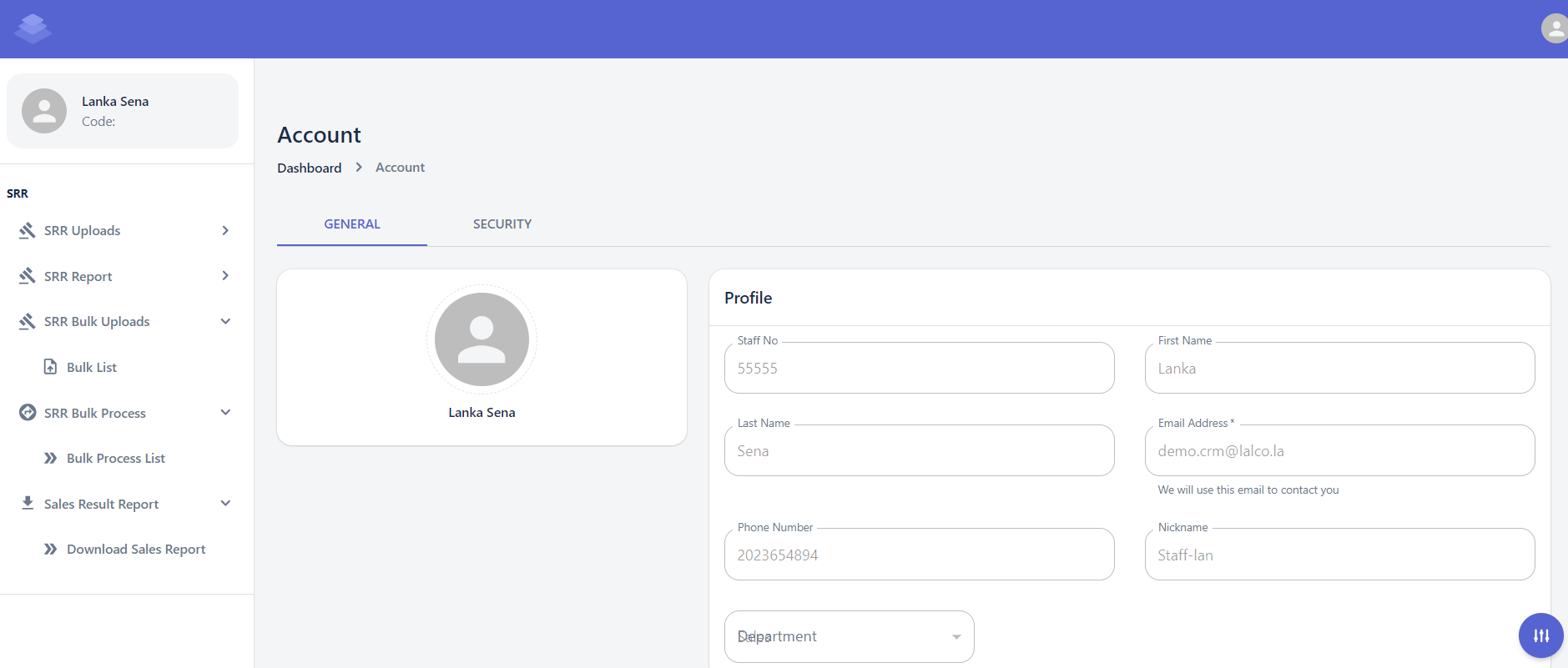
1. **Navigate to the Uploads Page**
- Log in to the system and navigate to the "Dashboard" section.
- Click on the "SRR" tab.
- Select the "Upload" option.
2. **Choose Upload Type**
- Select the specific upload type you want to perform (e.g., Rule, Staff List, Bulk Data).
3. **Download Sample File (Optional)**
- If available, download a sample file to guide you in preparing your data.
4. **Check the Downloaded Sample File**
- Check the Downloaded Sample Data is in the correct format and structure, in the sample file Against the Original SME Sales Report to Identify Discrepancies or Errors
5. **Upload the File**
- Click the "Choose File" button and select the downloaded sample data file.
- Click the "Upload" button to initiate the upload process.[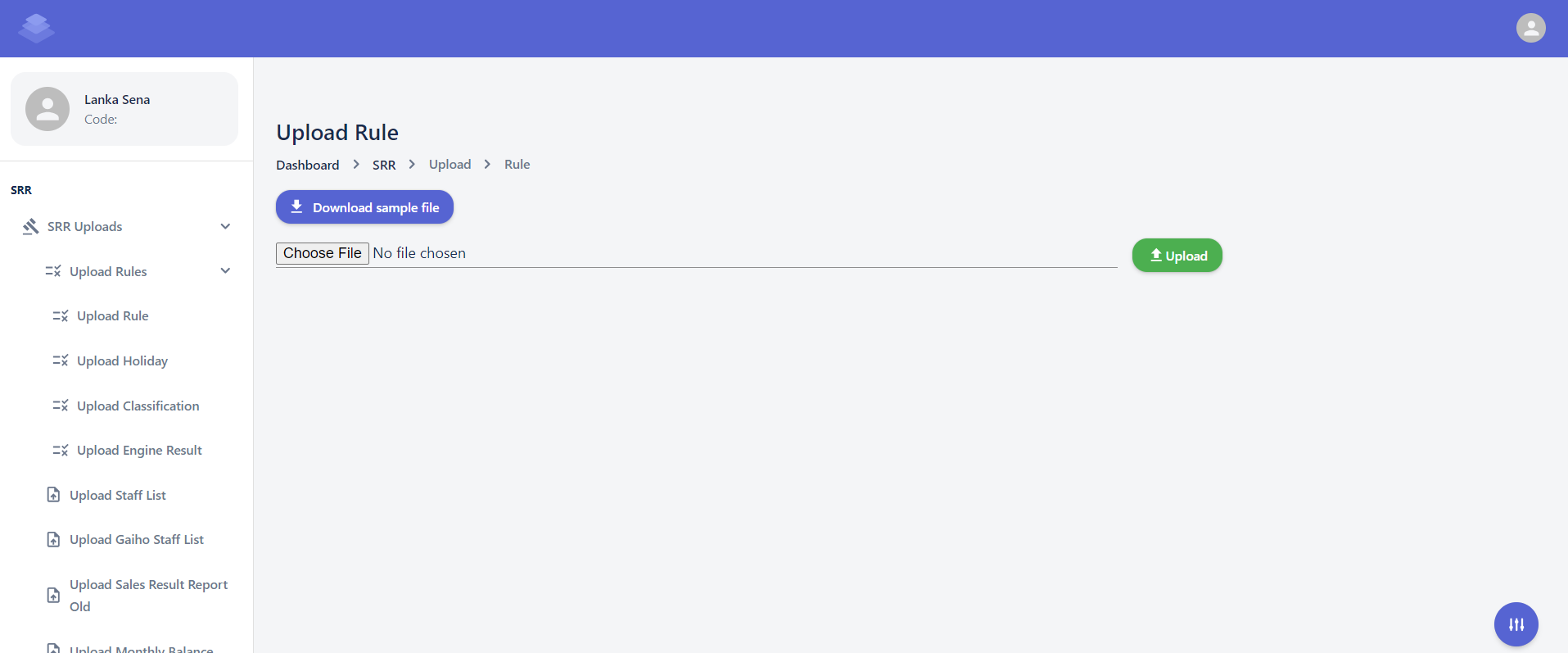](http://wiki.lalco.la/uploads/images/gallery/2024-10/screenshot-2024-10-08-100808.png)
6. **Verify and Process**
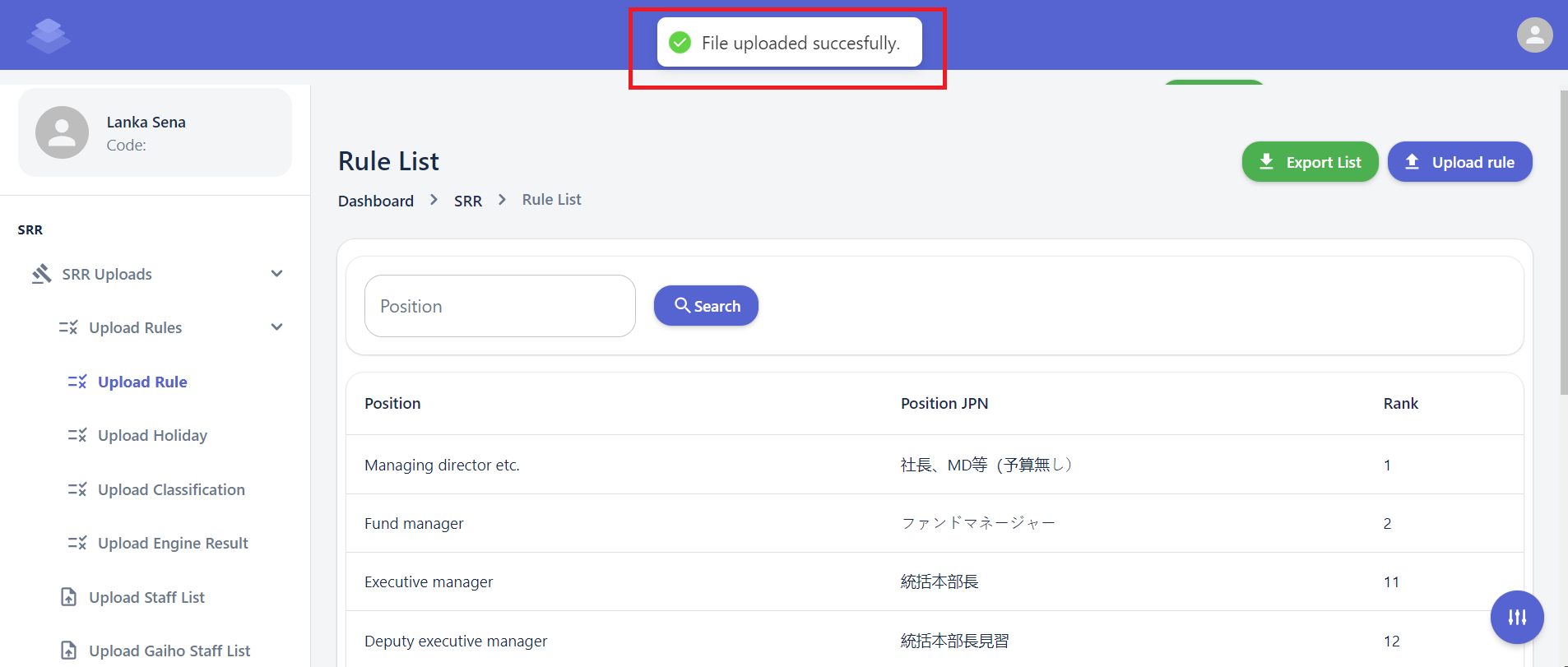
- The system will process the uploaded data and display a confirmation message.
"File Upload Successfully"
- Review the message for any errors or warnings.
- If there are no errors, the uploaded data will be successfully processed.
[](http://wiki.lalco.la/uploads/images/gallery/2024-10/screenshot-2024-10-08-111235.png)
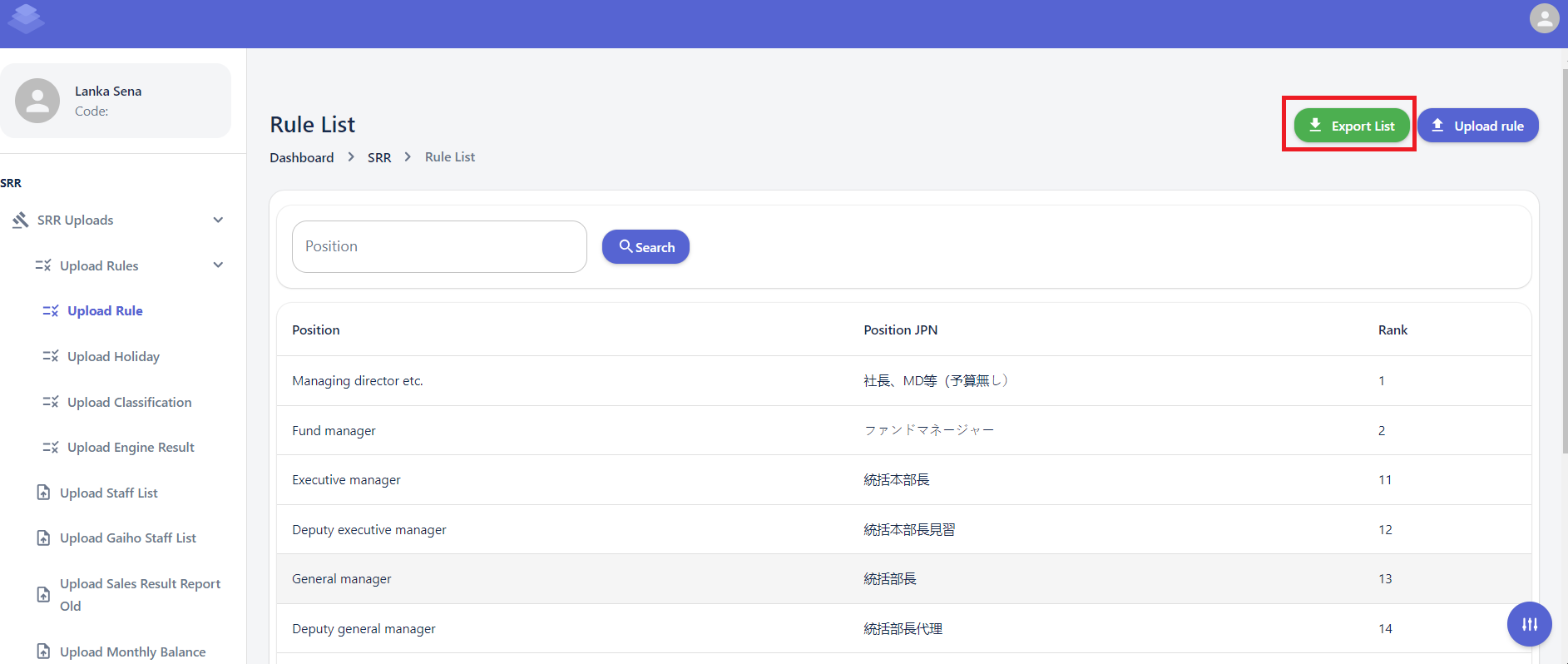
- **Locate the "Export List" Button:**
- Look for the "Export List" button at the top right corner of the Rule List page.
- **Click the "Export List" Button:**
- Click the "Export List" button to initiate the export process.
- **Download the Exported File:**
- The system will generate a downloadable file containing the list of rules.
- Choose a suitable location to save the file on your device.
[](http://wiki.lalco.la/uploads/images/gallery/2024-10/zyUimage.png)
- **Only the raw data from the uploaded sample sheet is included. When you export the data, the values in the formula columns will be automatically calculated.**
- **Check Export Sheets Against the Original SME Sales Report to Identify Discrepancies or Errors**
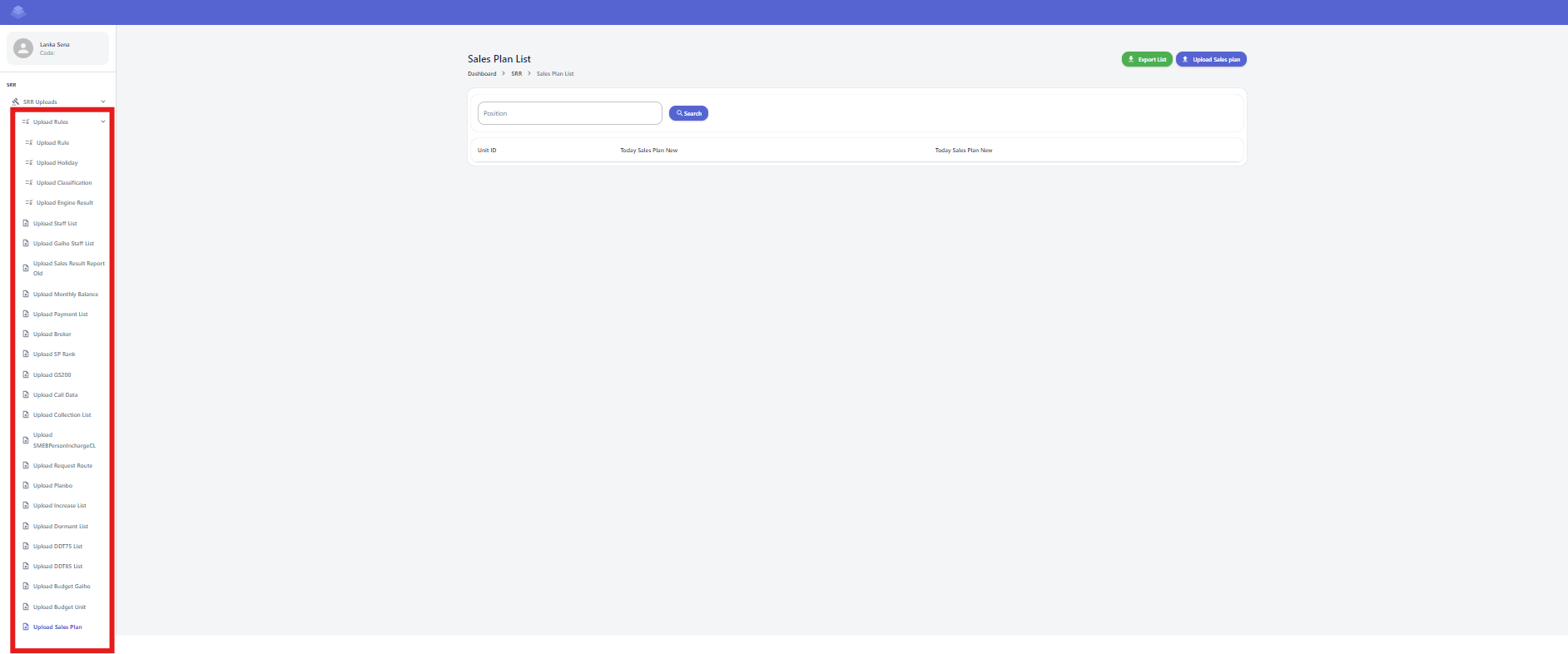
Check below all sheet according to the above steps
- Rule
- Staff
- Gaiho staff
- Sales result report old
- Monthly balance
- Payment List
- Broker
- SP Rank
- GS200
- Call Data
- Collection List
- SMEBPersonInCharge
- Request Route
- PlanBo
- Increase List
- Dormant List
- DDT75 List
- DDT85 List
- Budget Unit
- Budget Gaiho
[](http://wiki.lalco.la/uploads/images/gallery/2024-10/vOVimage.png)