
Profile Screen
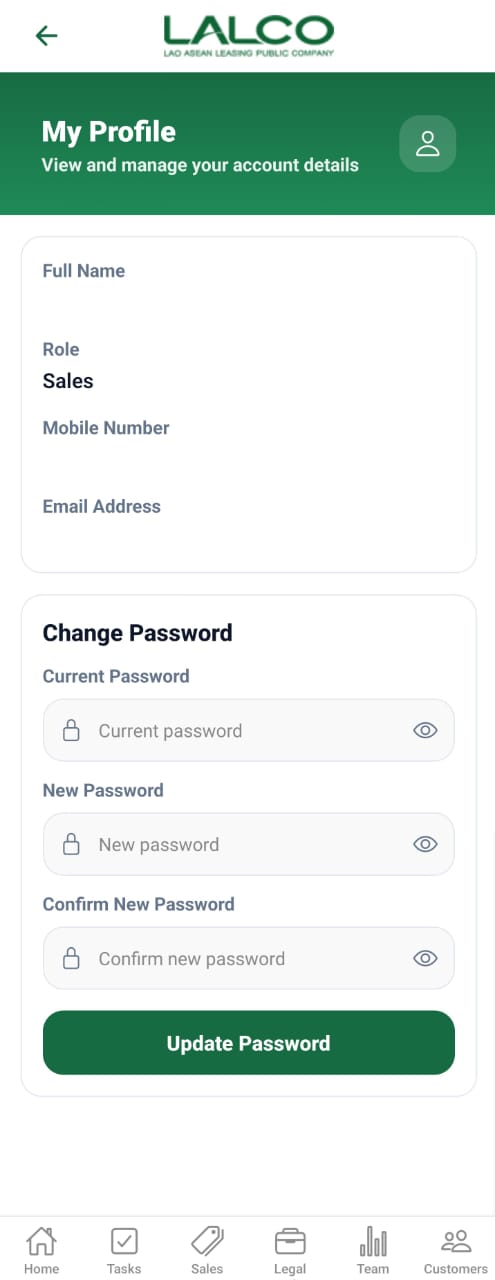
The Profile Screen allows users to view their personal account details and manage their login credentials, including updating their password.
Profile Information
Displays user account details:
- Full Name → User’s registered name
- Role → User role in the system (e.g., Sales)
- Mobile Number → Registered phone number
- Email Address → User’s email
Change Password Section
Allows users to update their account password.
Form Fields
Current Password
Enter your existing password
New Password
Enter a new password
Confirm New Password
Re-enter the new password for confirmation
Visibility Icon
Allows users to:
- Show password
- Hide password
Action
Update Password
Saves and updates the new password
How to Use
View Profile
- Open the Profile screen
- Review your account details
Change Password
- Enter Current Password
- Enter New Password
- Confirm the new password
- Tap Update Password
Security Tips
- Use a strong password
- Do not share your credentials
- Change your password regularly