
Special case Screen
 |
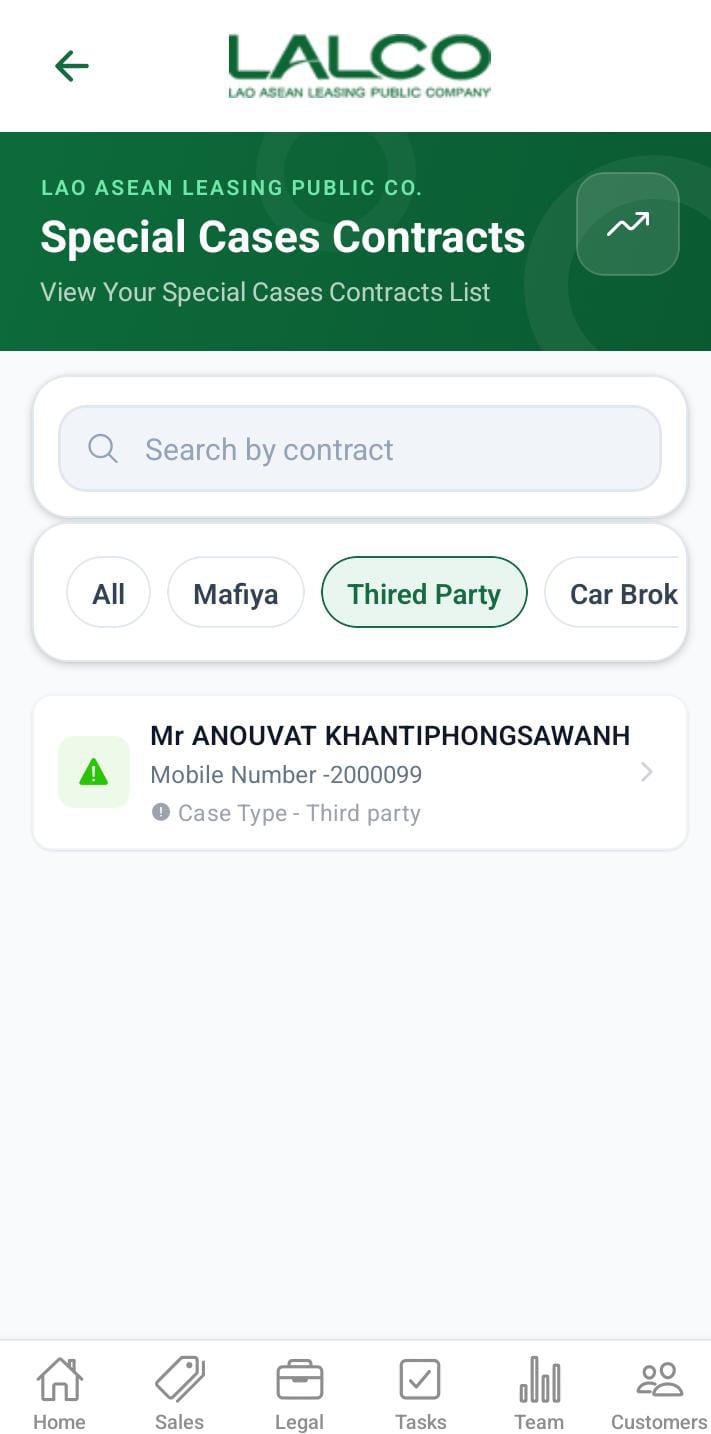 |
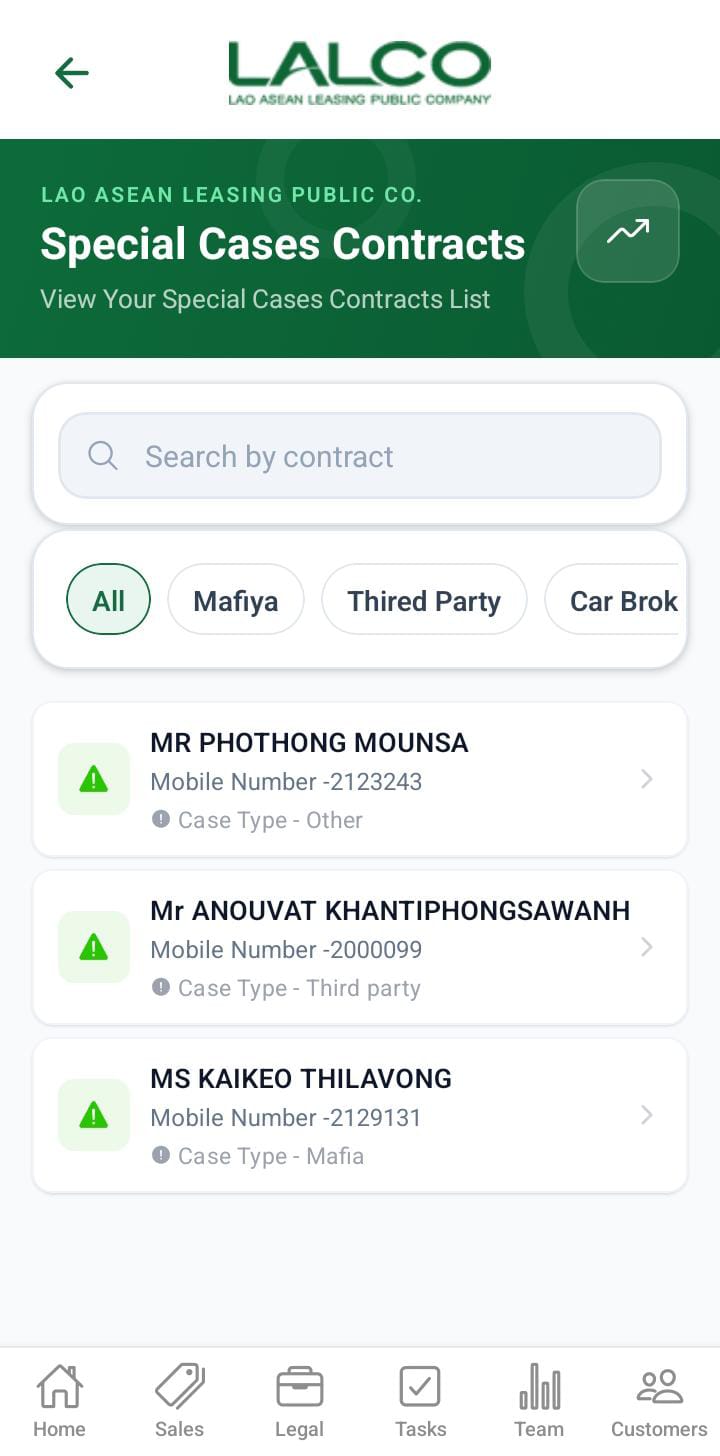
TheThis Call History Screenscreen allows staffusers to view andspecial trackcases. allContracts loggedare treated as special cases when any of the predefined conditions are met. If a special case is identified during a customer calls,visit, includingthe callsubmitted durationdata andwill date.be Thisdisplayed helpson monitorthe communicationSpecial historyCases andscreen.
- Marfia
- Third party
- Car broken
- Customer arrested / Passed away
- Seized by police
- Gps offline
- Other (assign to this filter when GPS Repair or installation)
Access Path
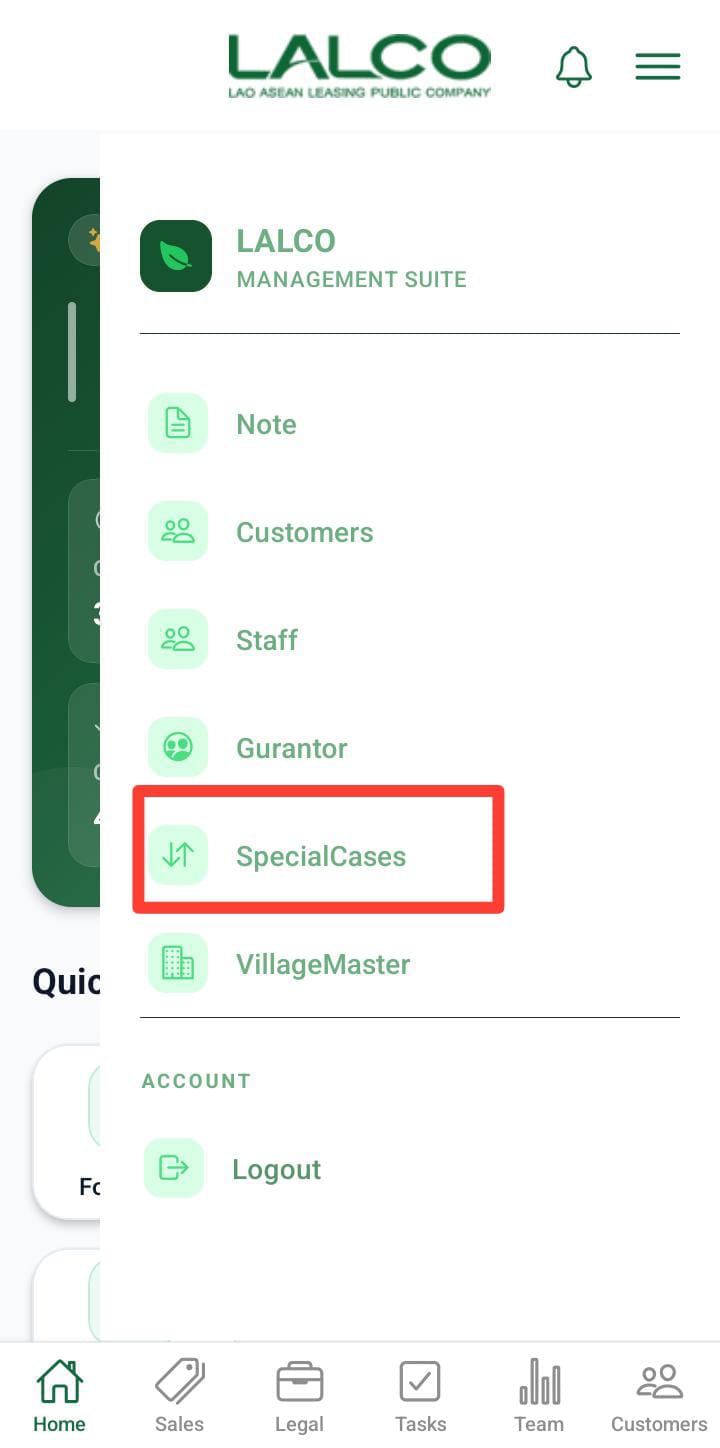
CallSpecial Historycase Listdetails Screenscreen
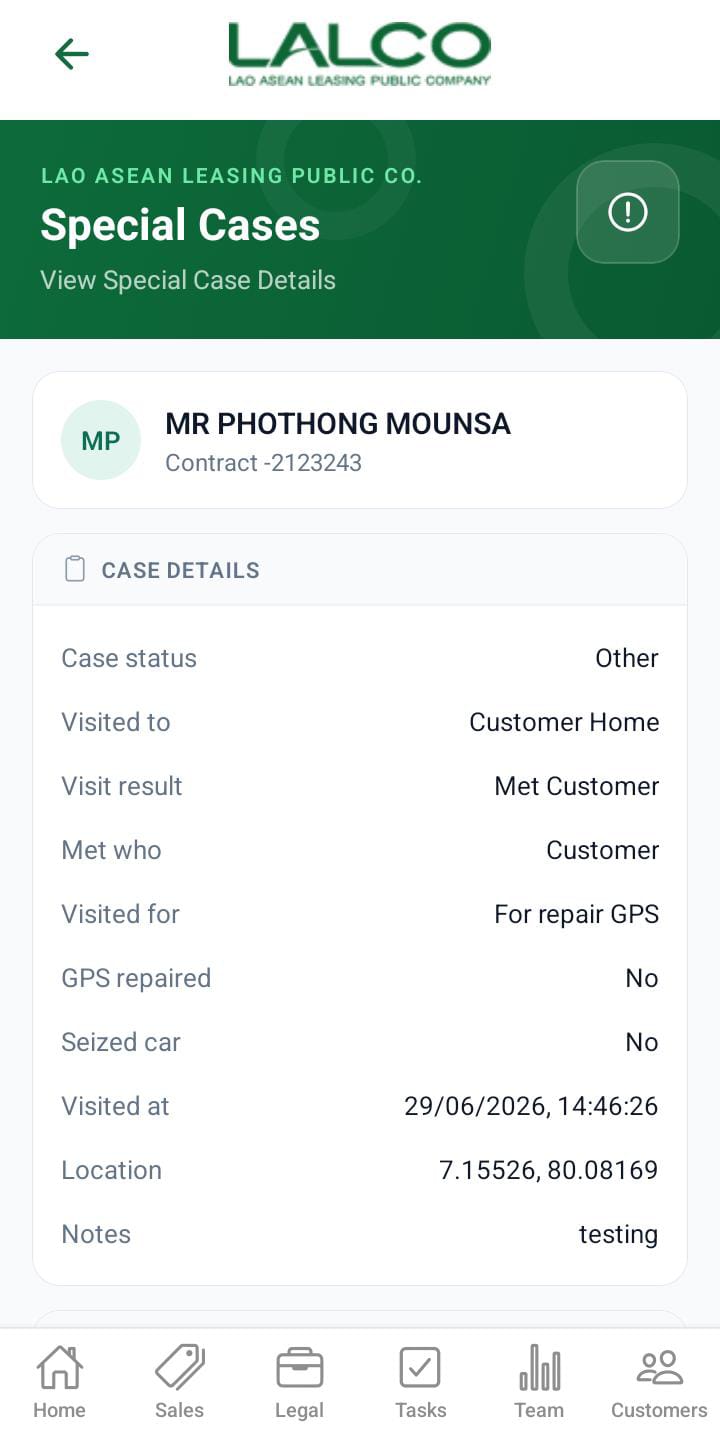
Overview
DisplaysUser acan listview ofthe allfull recordeddetails callsabout madethe special case.
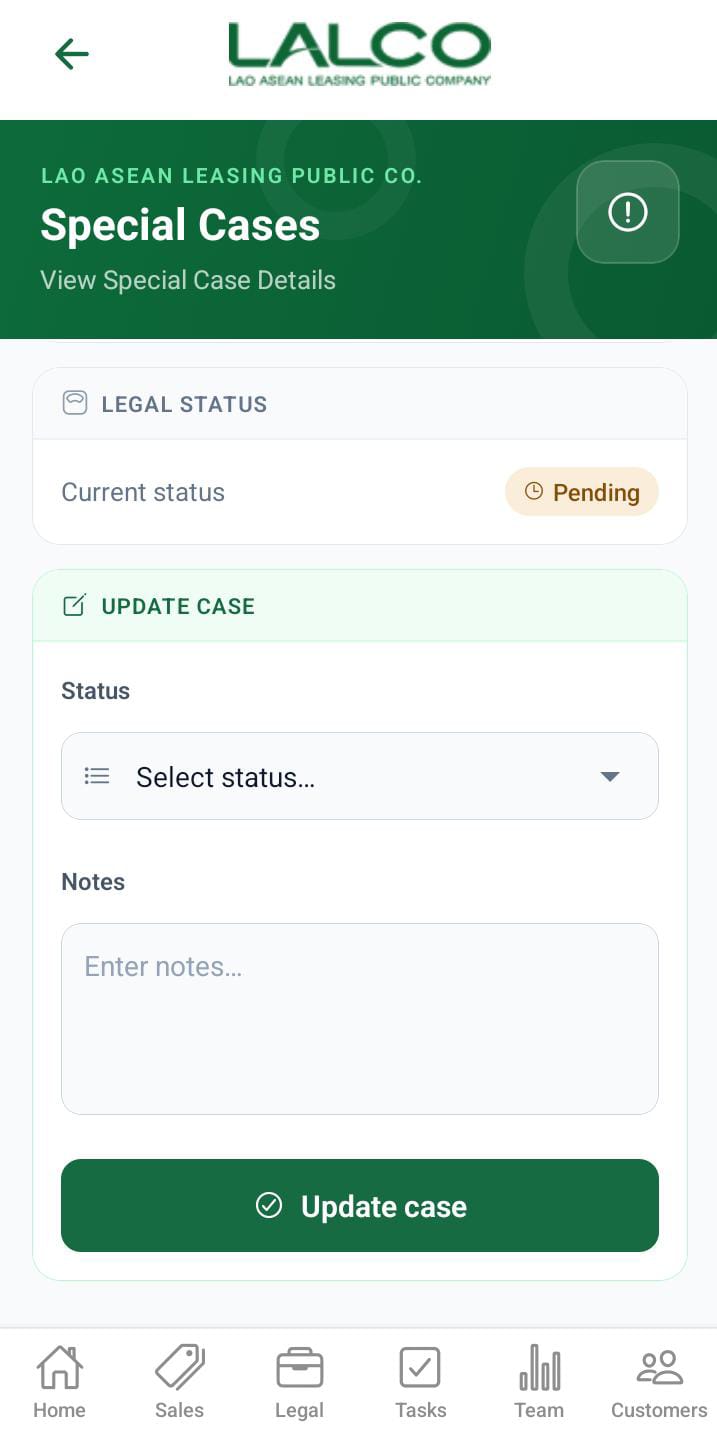
Actions on the special cases.
 |
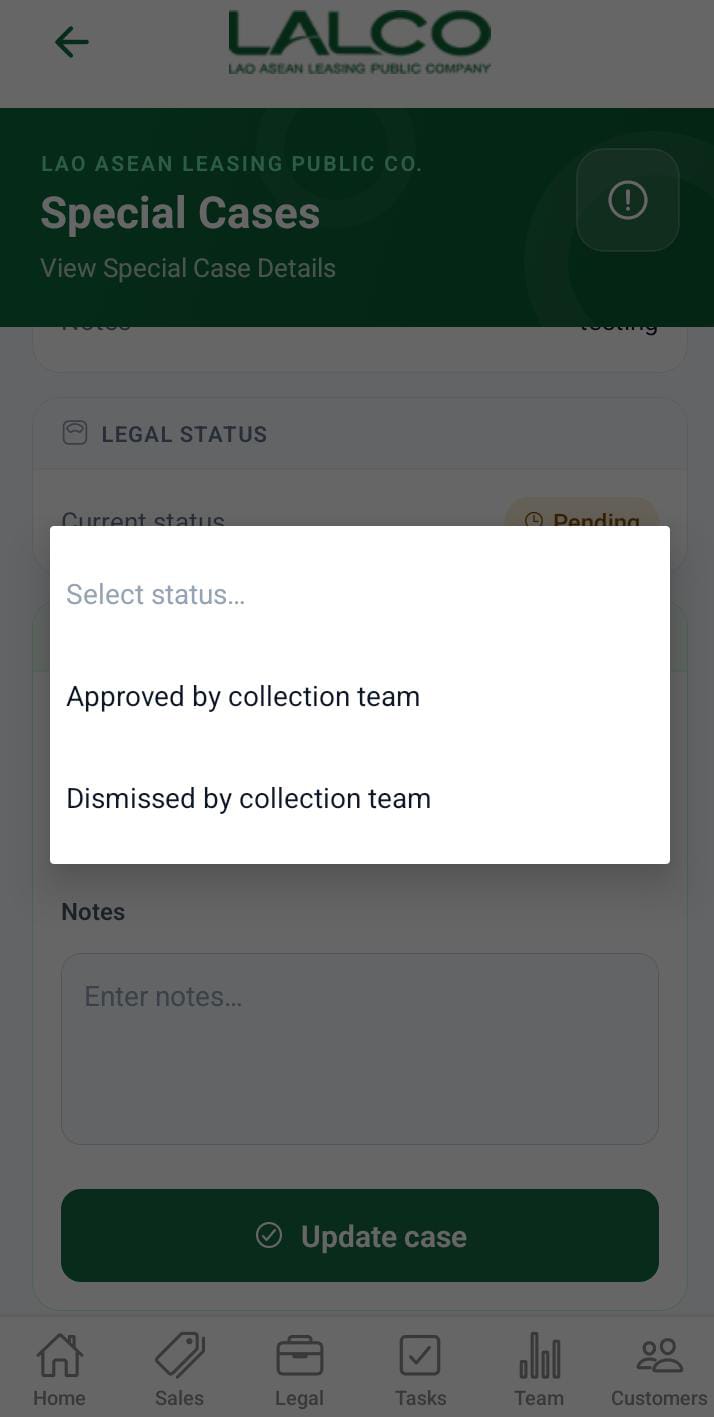 |
If the special cases need to take legal action, the collection team need to mention it to take the legal actions. That is done in this section. For that need to specify Approved by the user.
team
Header Section
Page Title
Call History
Description
Call Icon 📞
Used to initiate or access calling features
Call List
Each card represents a logged call.
Information Displayed
Customer NamePhone NumberCall DateCall Duration
Example
Pagination
Located atas the bottomstatus. ofAfter submission, the screen.
Controls
team Example
How to Use
View Call History
OpenCall Historyfrom menuScroll throughin thelistlegal screen.Use pagination to navigate
Analyze Calls
Check call durationReview recent interactionsIdentify follow-up needs
Bottom Navigation Bar
Provides quick access to main modules:
HomeTasksSalesLegalTeamCustomers
Empty State (Optional)
Notes
Calls are listed indescending order (latest first)Data helps track staff communication performance
💡 Tip:Use this screen daily to ensure no customer follow-up is missed.