
Collateral Screen
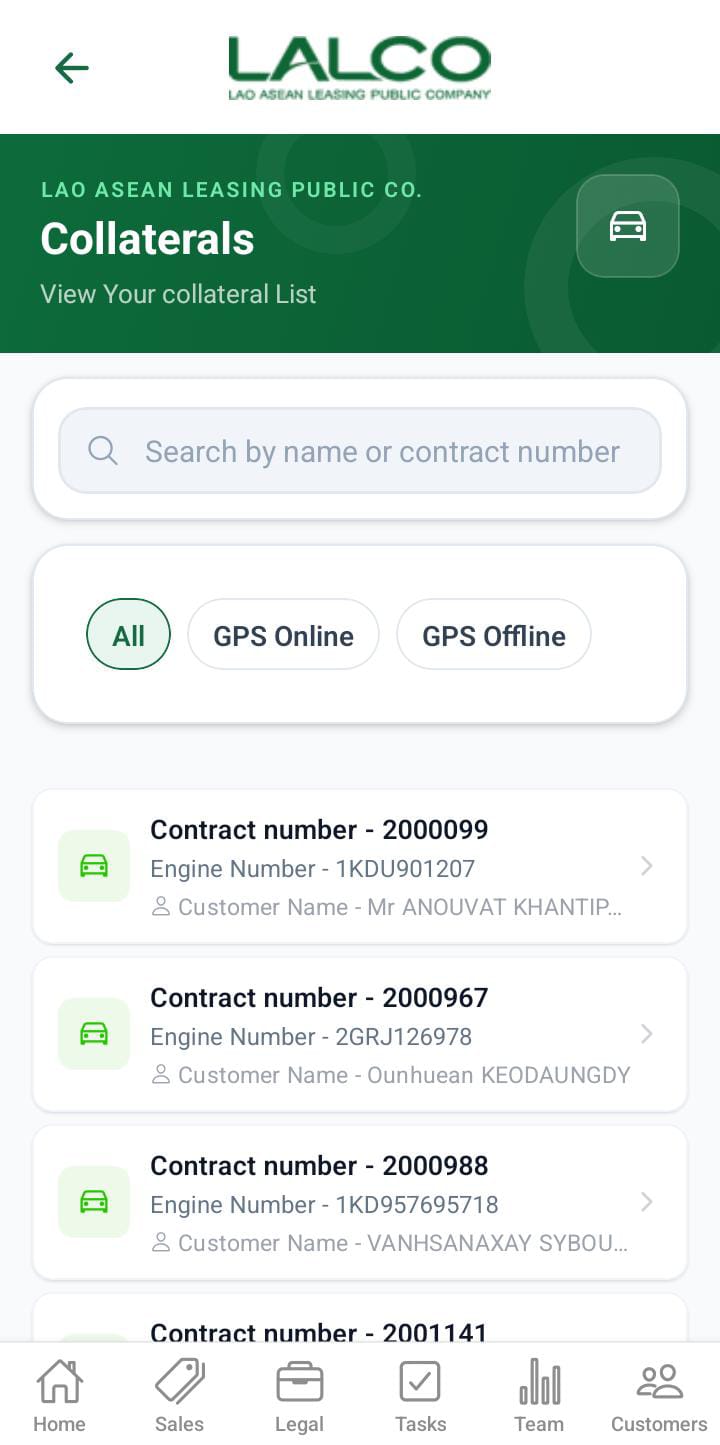
The GPS OfflineCollateral Screen allows staff to view and manage contractscontracts, where GPS tracking is unavailable. It helps agents identify and reviewview affecteddetails vehiclesof andthe customercollateral details.of each contract
Access Path
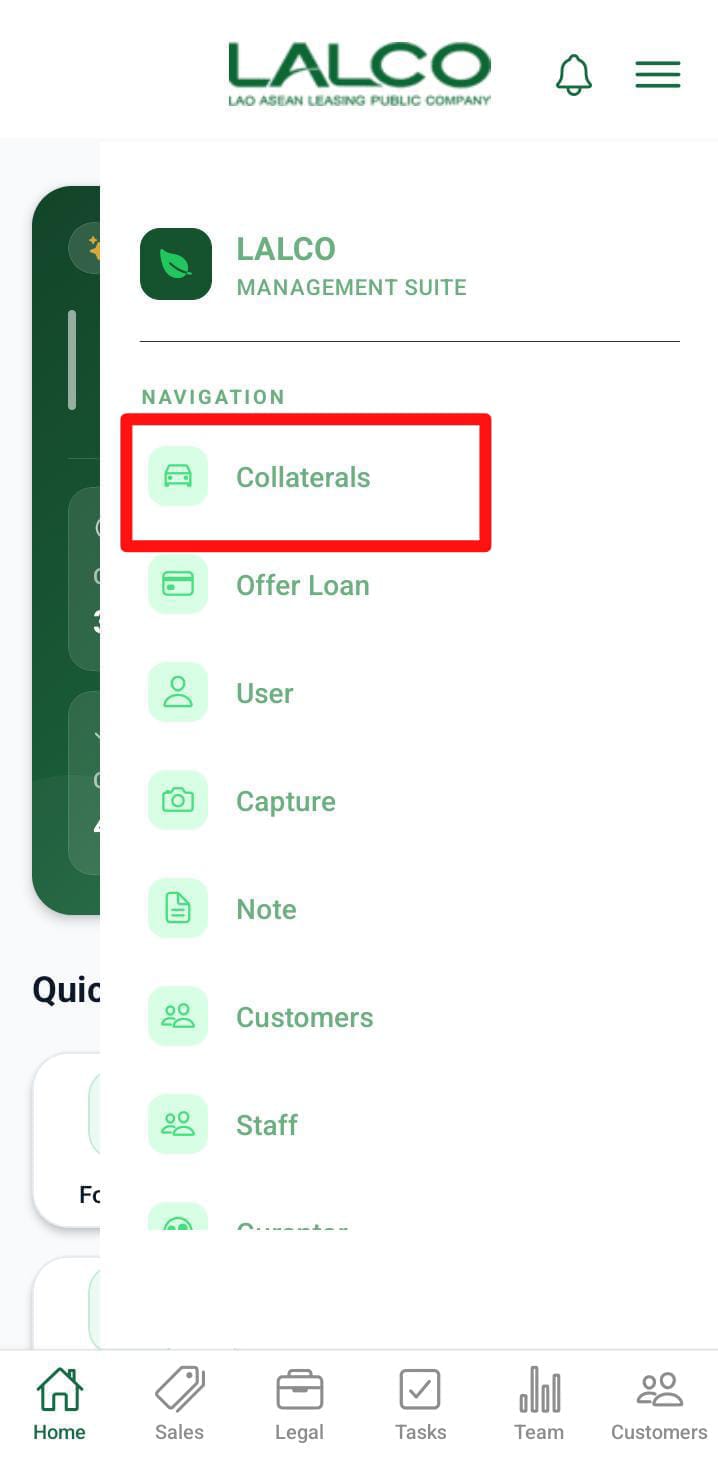
Location Icon 📍
May be used to:
Search Function
Search Bar
Allows users to search using:
-
Phone number Contract number
Filers
The user can filter GPS offline and GPS online collaterals separately.
ContractCollateral List
Each item represents athe GPScollateral offlinedetails contract.of the contracts
Example
Information Displayed
-
Contract Number
-
Engine Number
- Customer name
How to Use
View Contracts
-
Open
GPSsideOfflinefrommenu -
Browse the list
- Click
Usethesearch if needed
Open Contract Details
Tap on a contractView full information
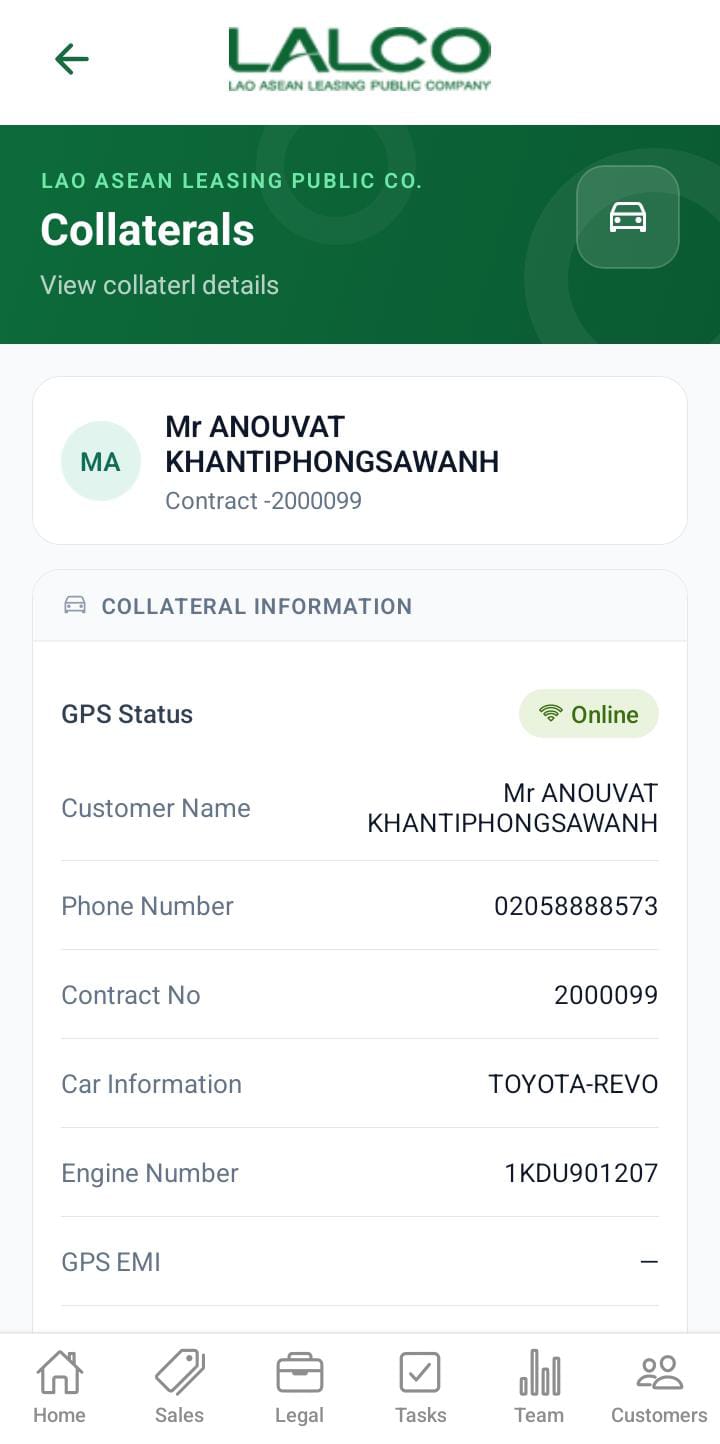
GPS OfflineCollateral Details Screen
 |
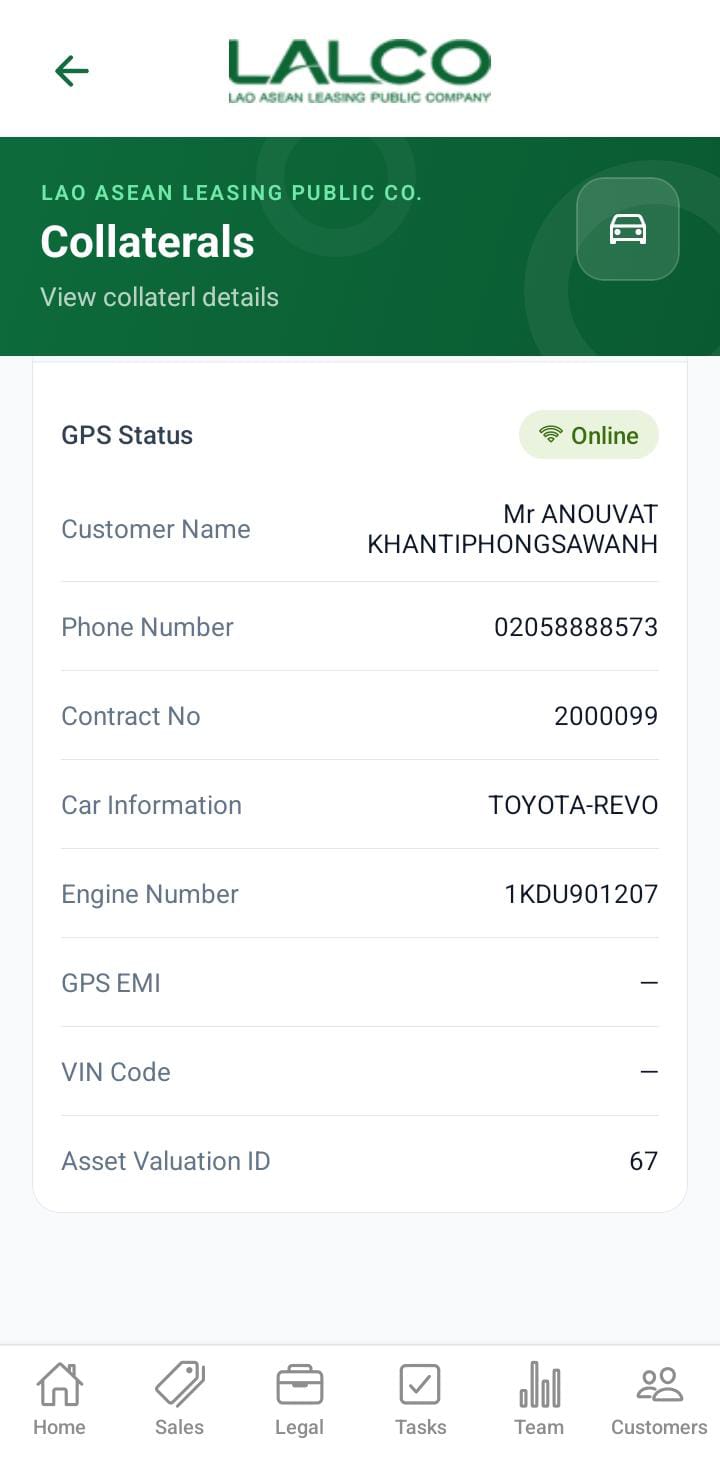 |
Displays detailed information about a selected GPS offline contract.
Header Section
Page Title
GPS offline contract DetailsCollaterals
Description
Contract Information
Displays complete details of the selected contract:
-
Customer Name → Name of the customer
-
Phone Number → Contact number
-
Contract Number → Unique ID
-
Car Information → Vehicle model and details
-
Car Engine Number → Engine ID
-
GPS EMI Number → GPS installment/availability status
-
Vin Code → Vehicle identification number
-
Asset Valuation ID → Internal tracking ID
Example
How to Use
View Details
-
Select
aancontractitem from the list -
Review all customer and vehicle details
💡 Tip:
Use this screen to quickly identify vehicles with GPS issues and take necessary follow-up actions.